

 Back to all FAQs
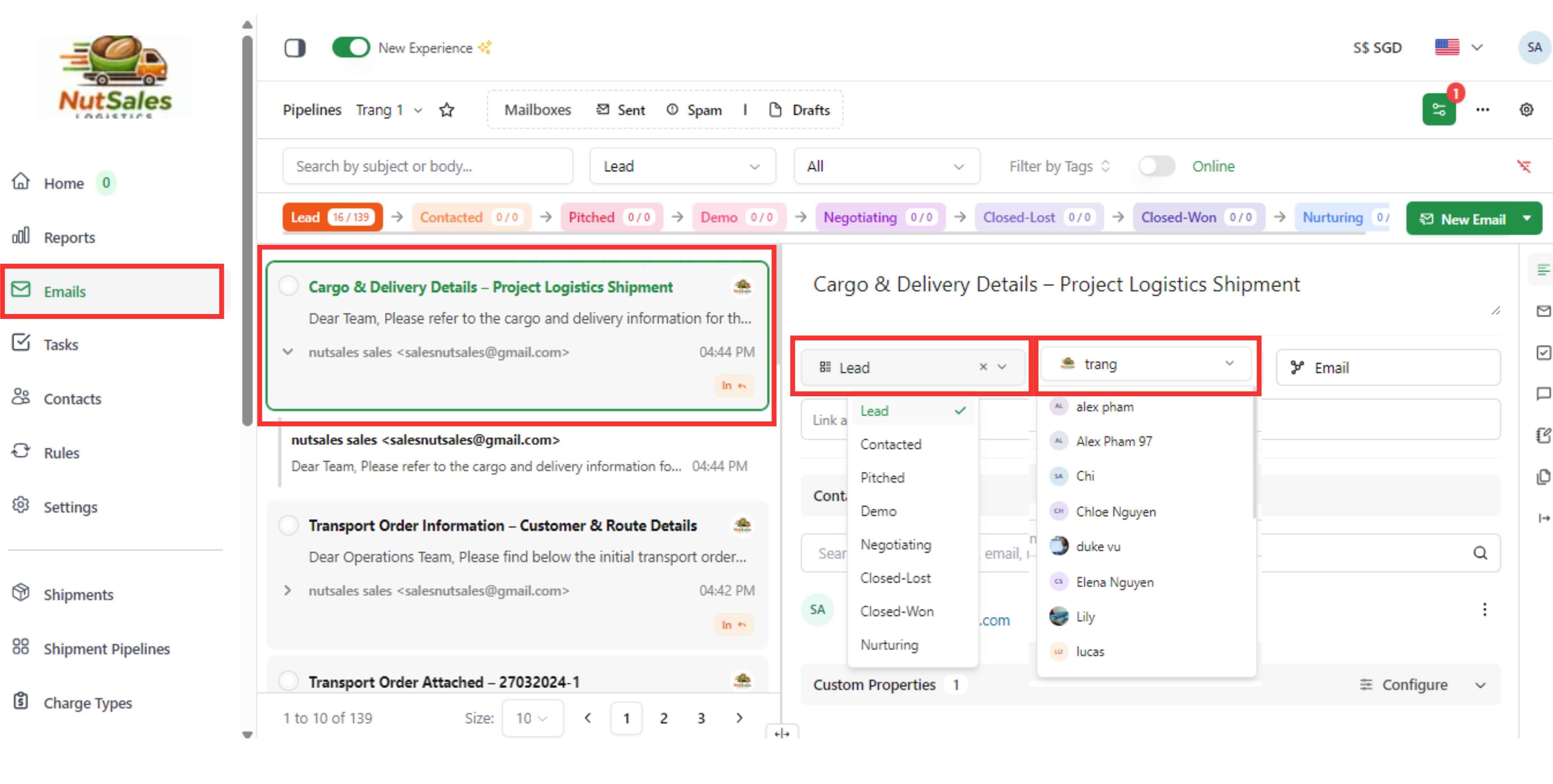
Step 1: Go to the Emails page and select the email you want to edit from the list.
Step 2: In the email details panel, update the required information (such as pipeline stage or assigned member). Changes are saved automatically.
Step 1: Go to the Emails page and select the email you want to edit from the list.
Step 2: In the email details panel, update the required information (such as pipeline stage or assigned member). Changes are saved automatically.