

 Back to all FAQs
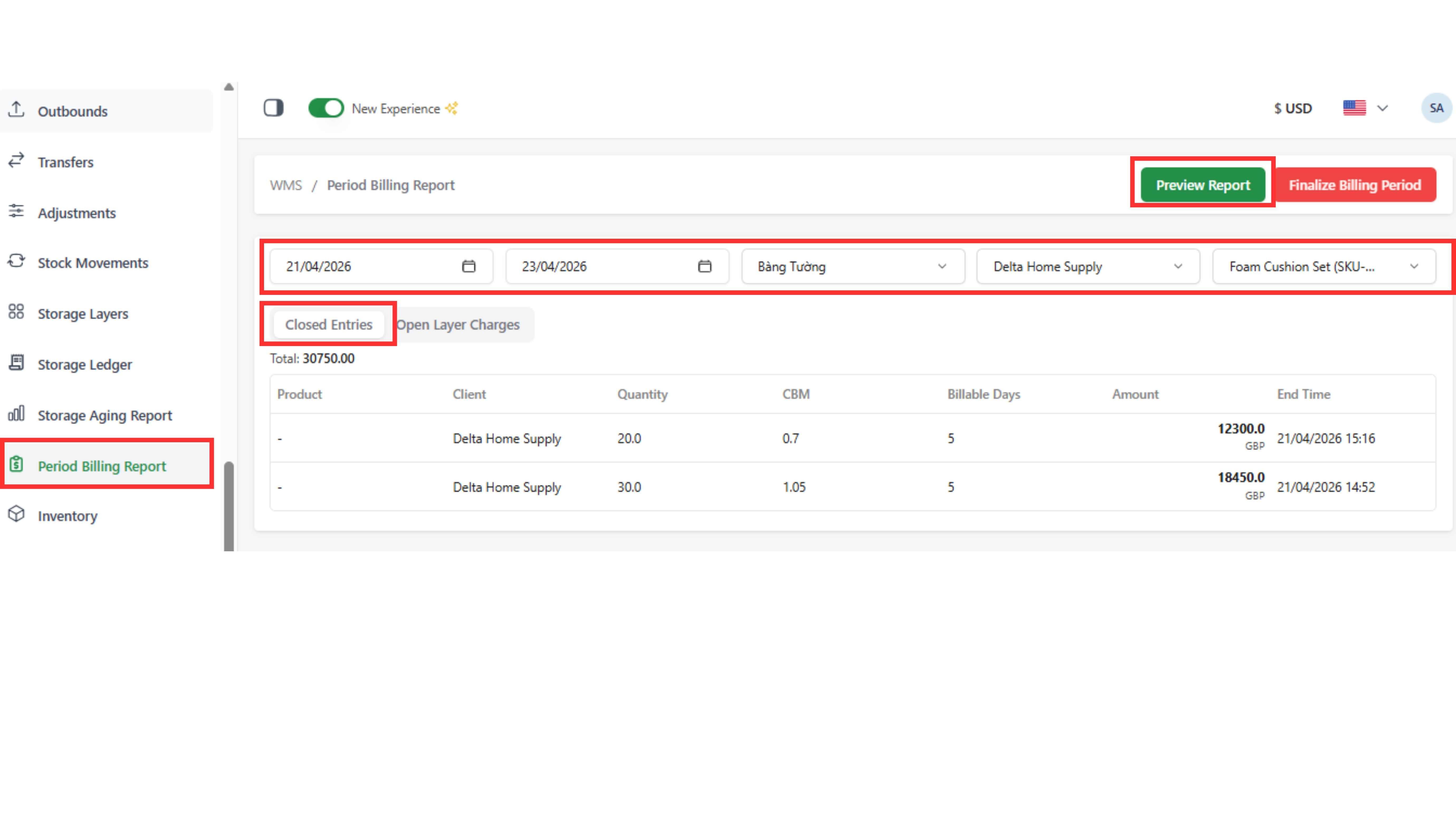
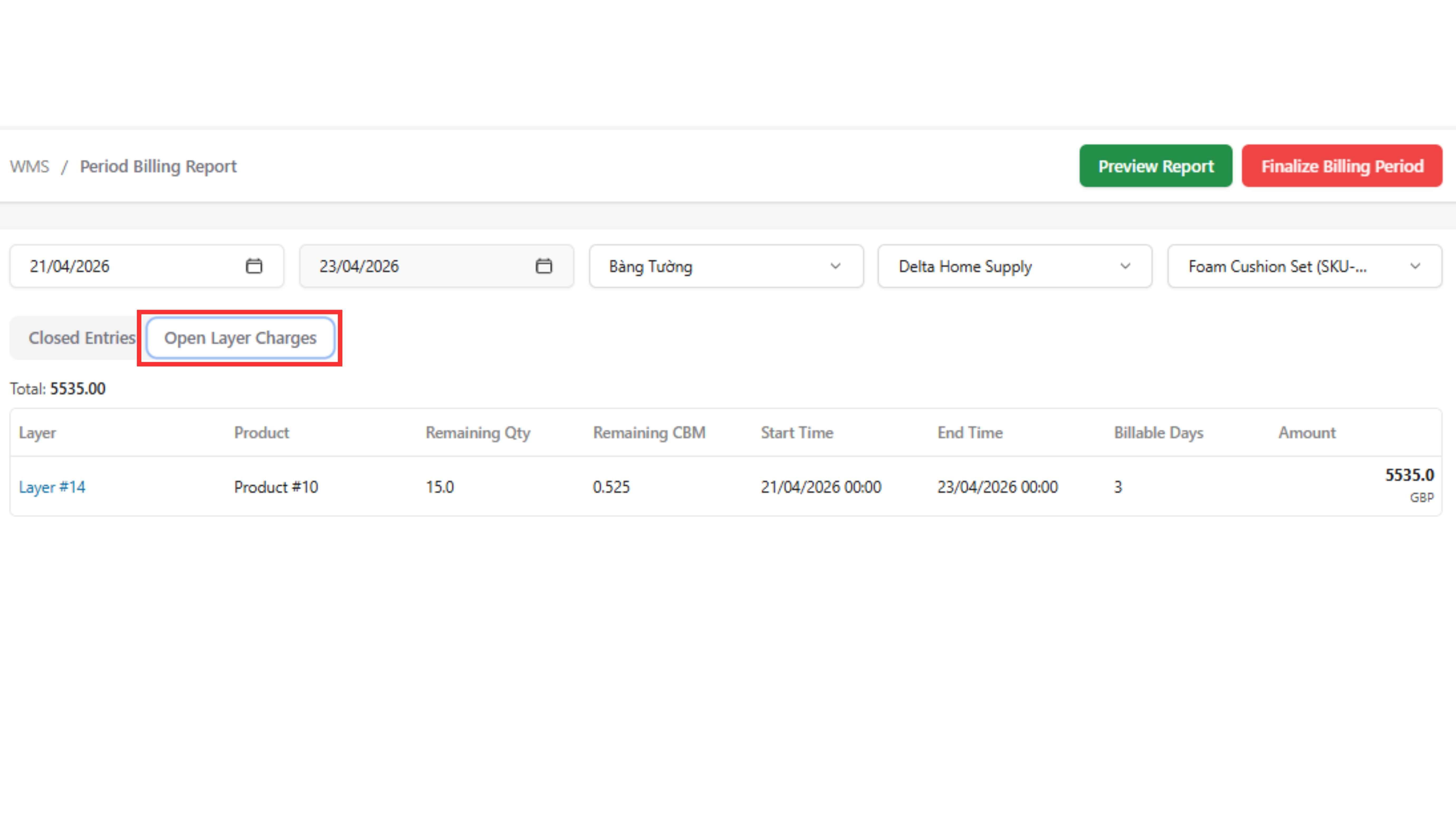
Used to shows total storage cost for a selected period including:
- Closed entries (already finished)
- Open layers (still in warehouse)
Step 1: Go to “Period Billing Report” tab
Step 2: Select billing period (from date → to date), Warehouse, Client, Product
Step 3: Click “Preview Report”
Note:
The selected billing date must match the Storage Ledger and Pricing period to ensure accurate results