
 Back to all FAQs
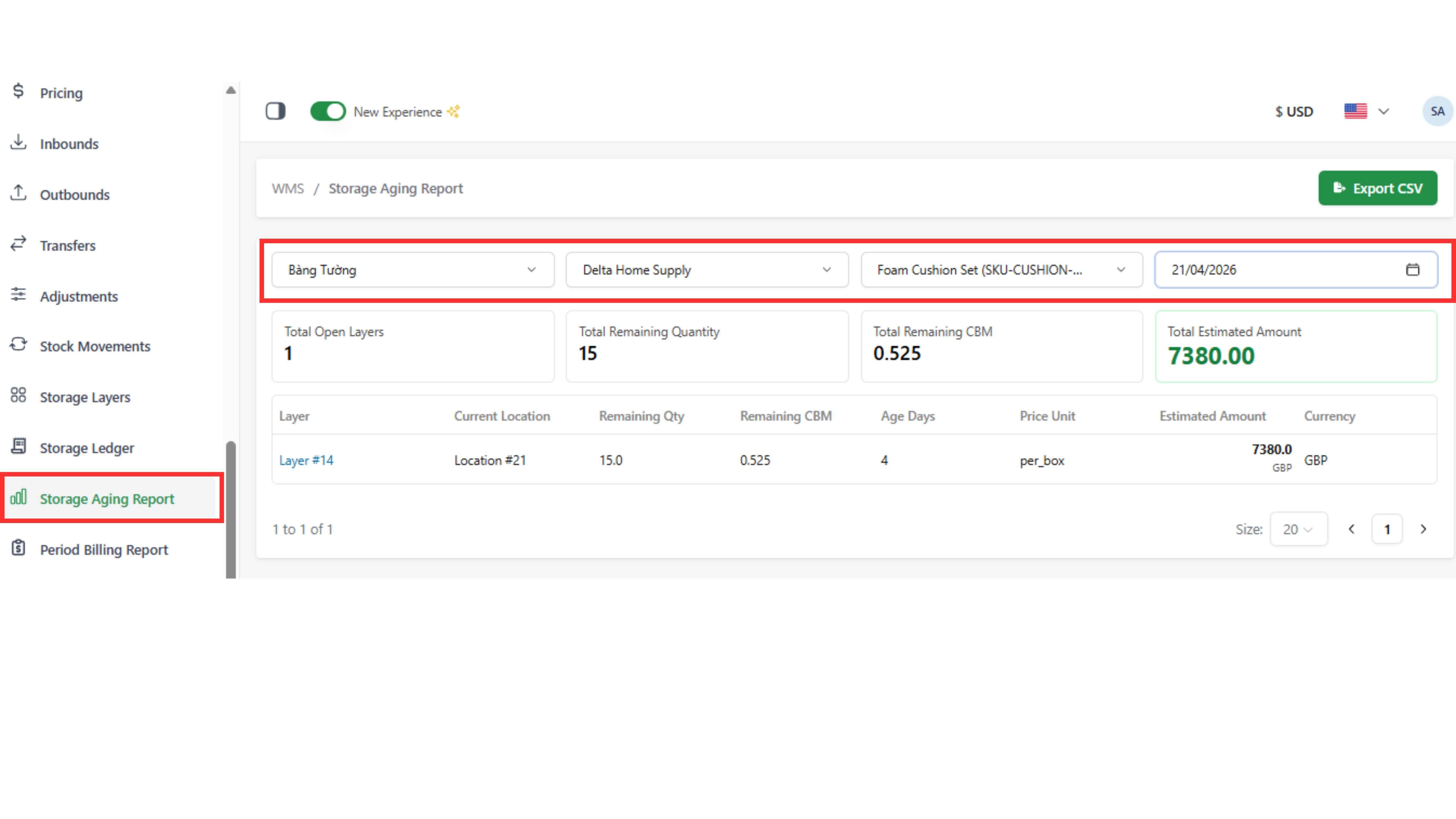
Used to view current stock, how long it has been stored, and estimated storage cost
Step 1: Go to “Storage Aging Report”
Step 2: Select Warehouse, Client, Product, and date range
Note:
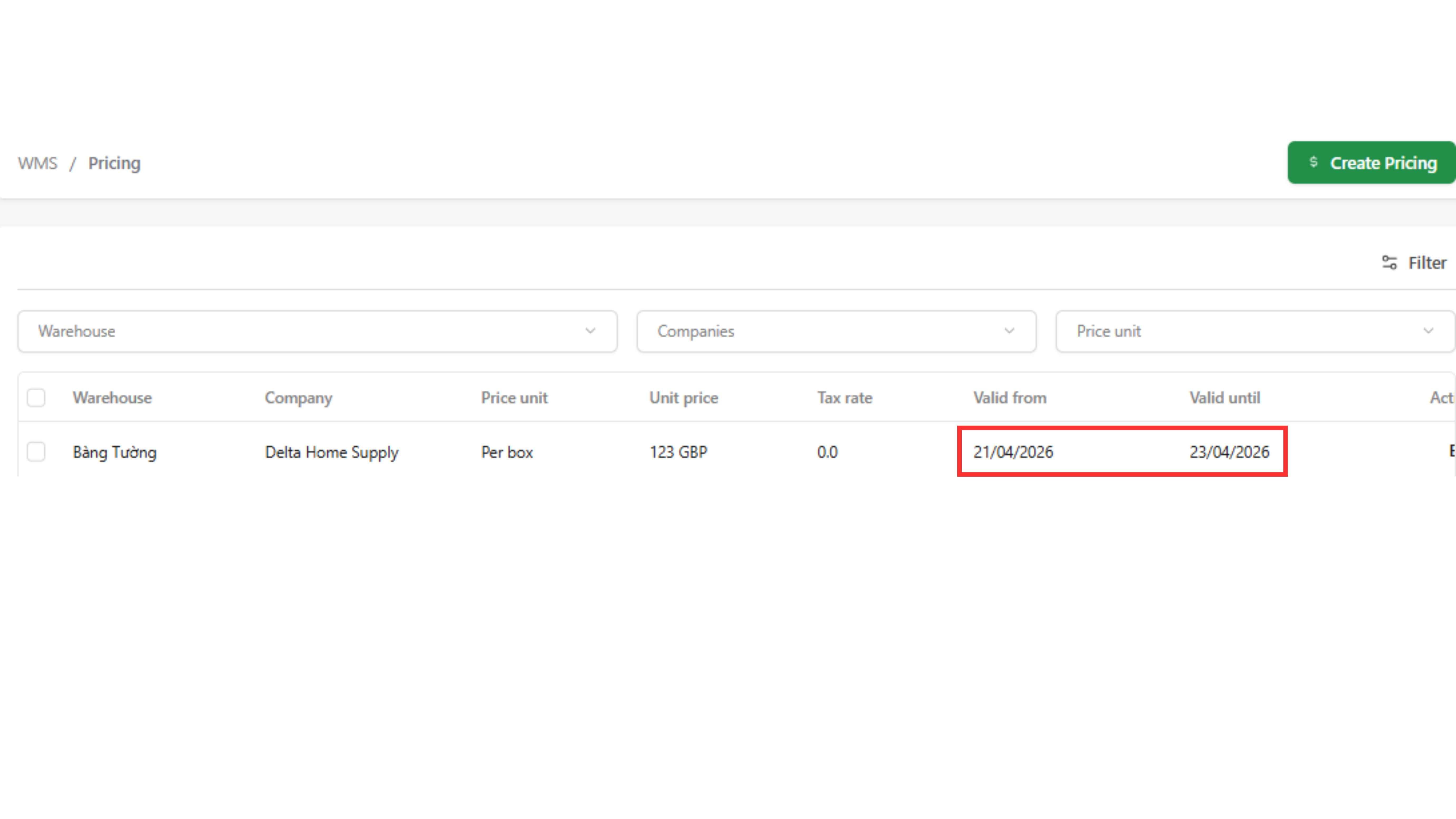
- The total estimated cost is calculated based on the pricing effective period for that Warehouse, Client, and Product
- Example: if pricing is valid from 21/04 → 23/04, the system will only calculate cost within this range → after 23/04, no additional cost will be calculated