

 Back to all FAQs
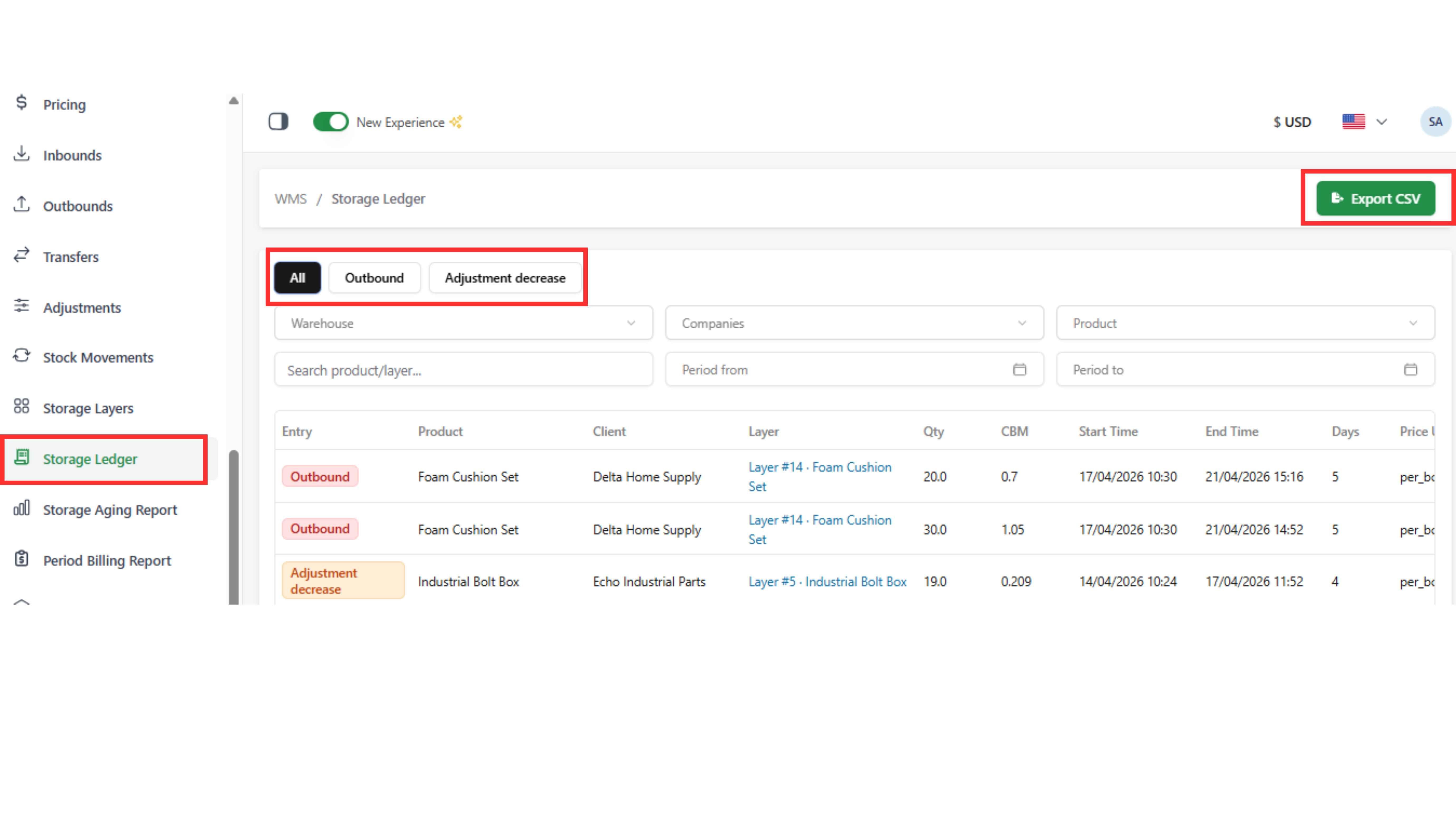
Used to view storage charges for each completed layer (days, cost, and source from outbound or adjustment)
Step 1: Go to “Storage Ledger” tab
Step 2: Use filters (Warehouse, Company, Product, period from → period to) to view data
Step 3: Click “Export CSV” to download the Excel file
Note:
- If no filter is applied, the system will display all storage layers
- Data is only recorded when goods leave storage (via outbound or adjustment decrease)
- If goods are still in the warehouse, they will not appear here yet