
 Back to all FAQs
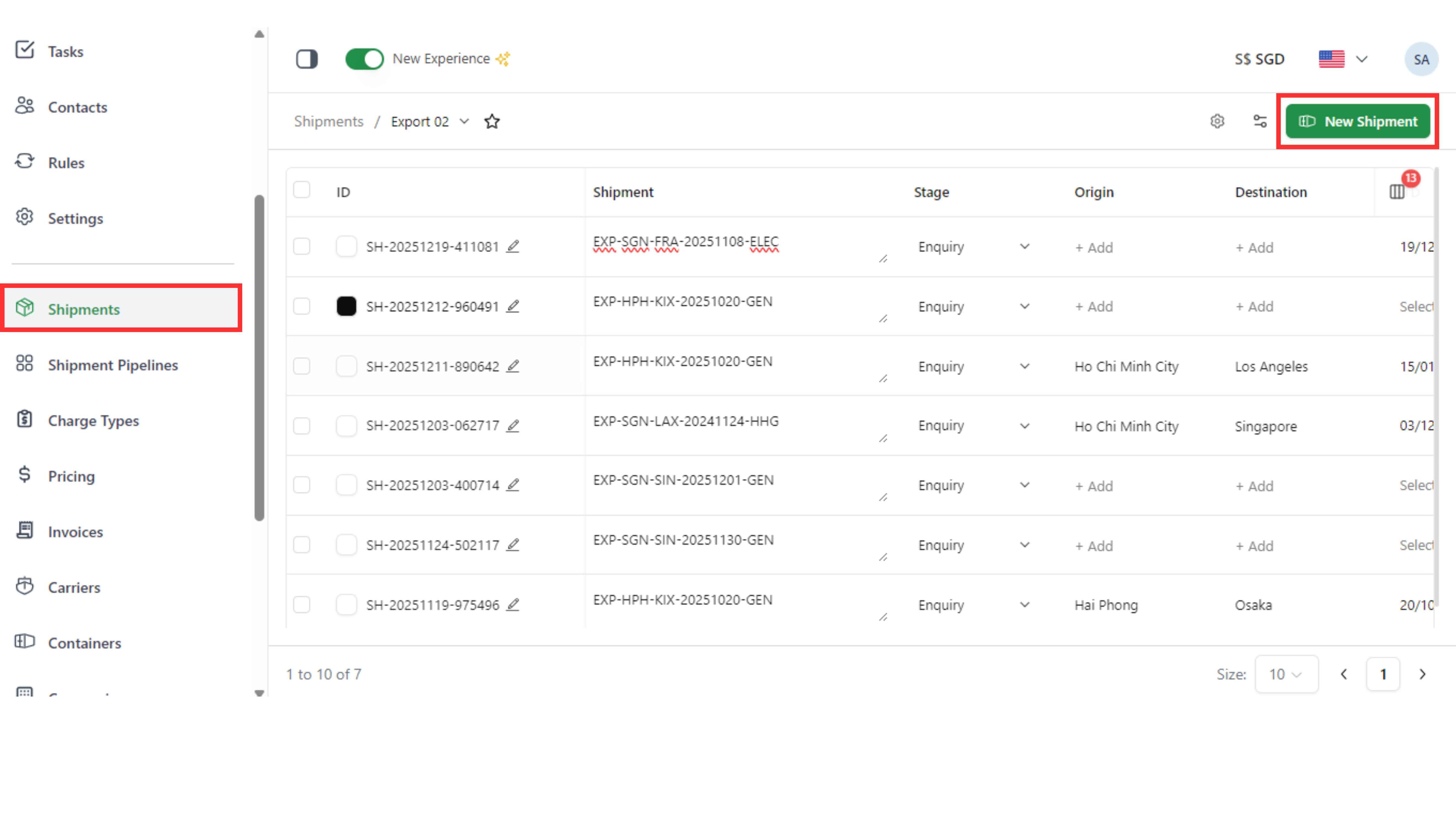
Step 1: Go to the “Shipments” page and click “New Shipment”.
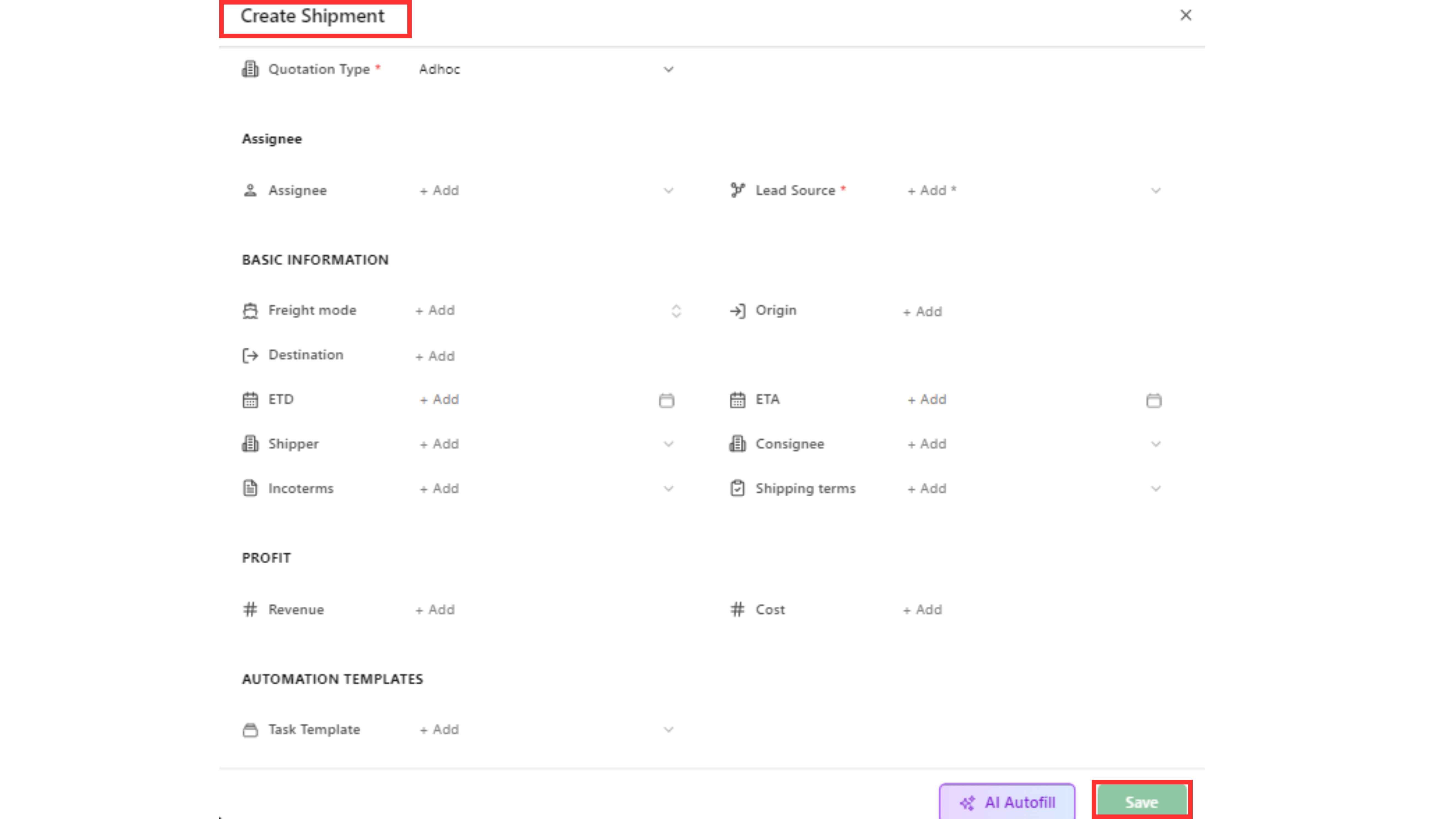
Step 2: Name the shipment and fill the information needed, then click "Save".
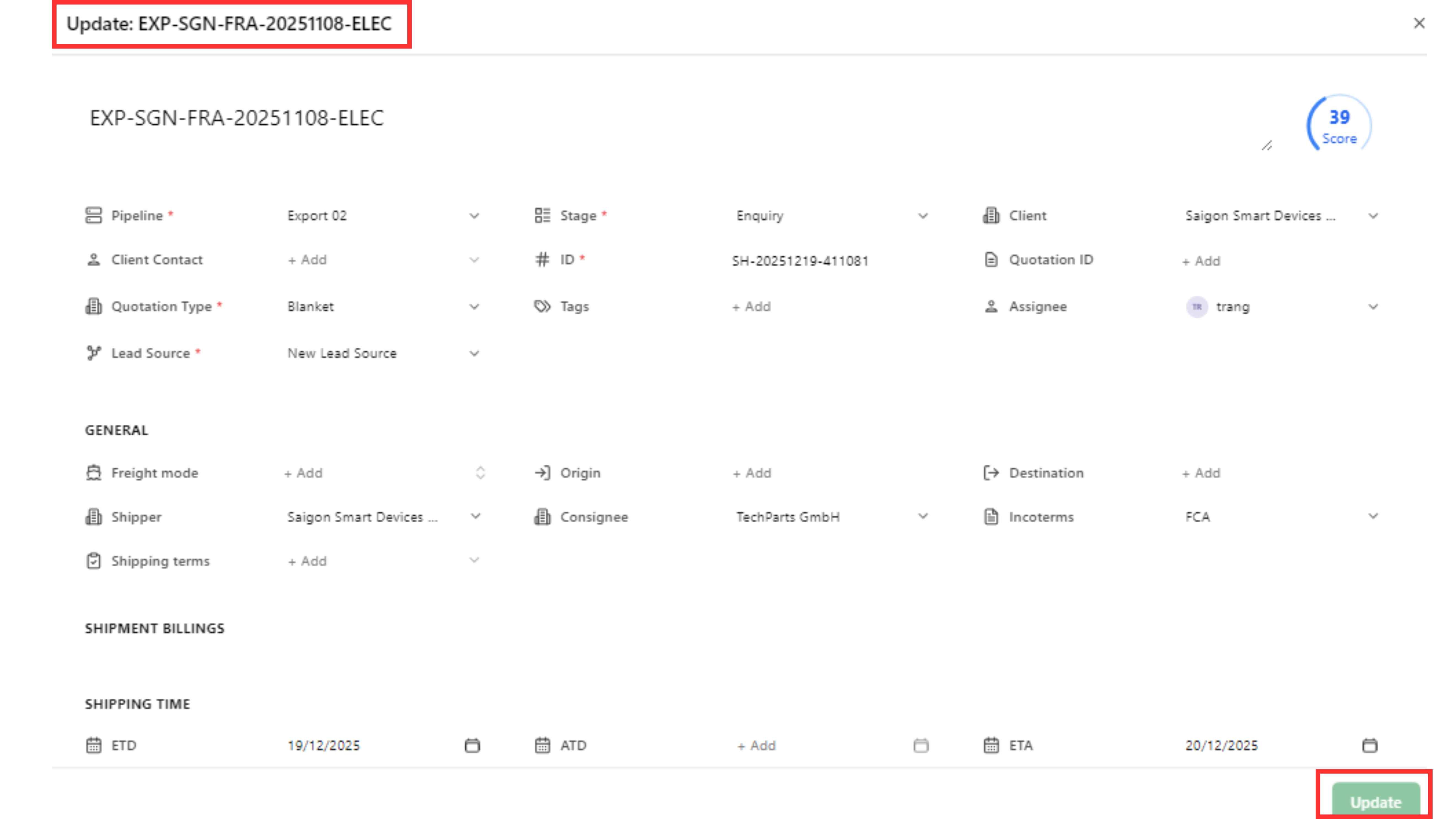
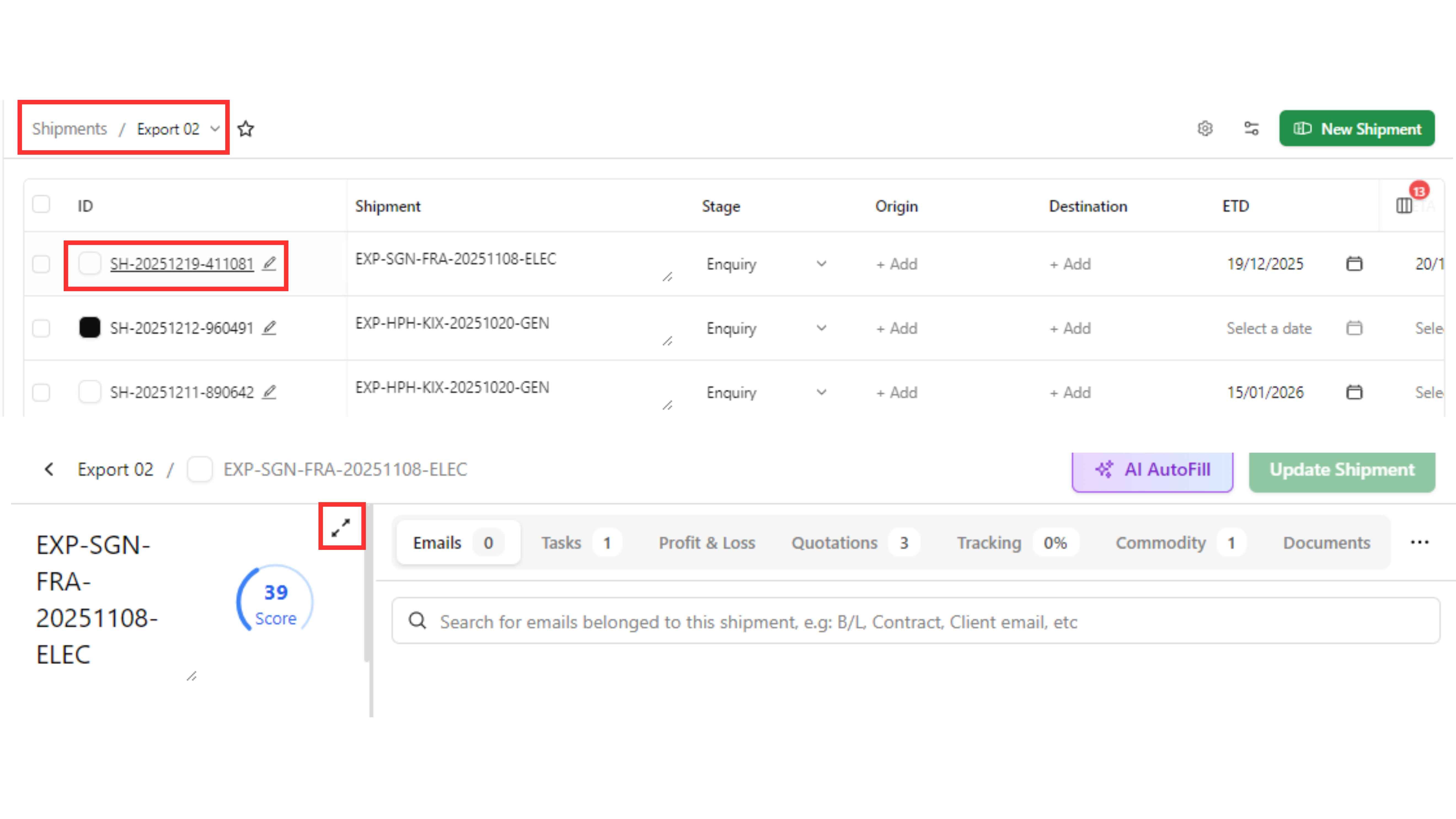
Step 3: Click the “Pen” icon to edit shipment details. "Update" screen will pop up, click this button to update shipment with full details.
Step 4: Fill in the information you need to update and then click "Update".