

 Back to all FAQs
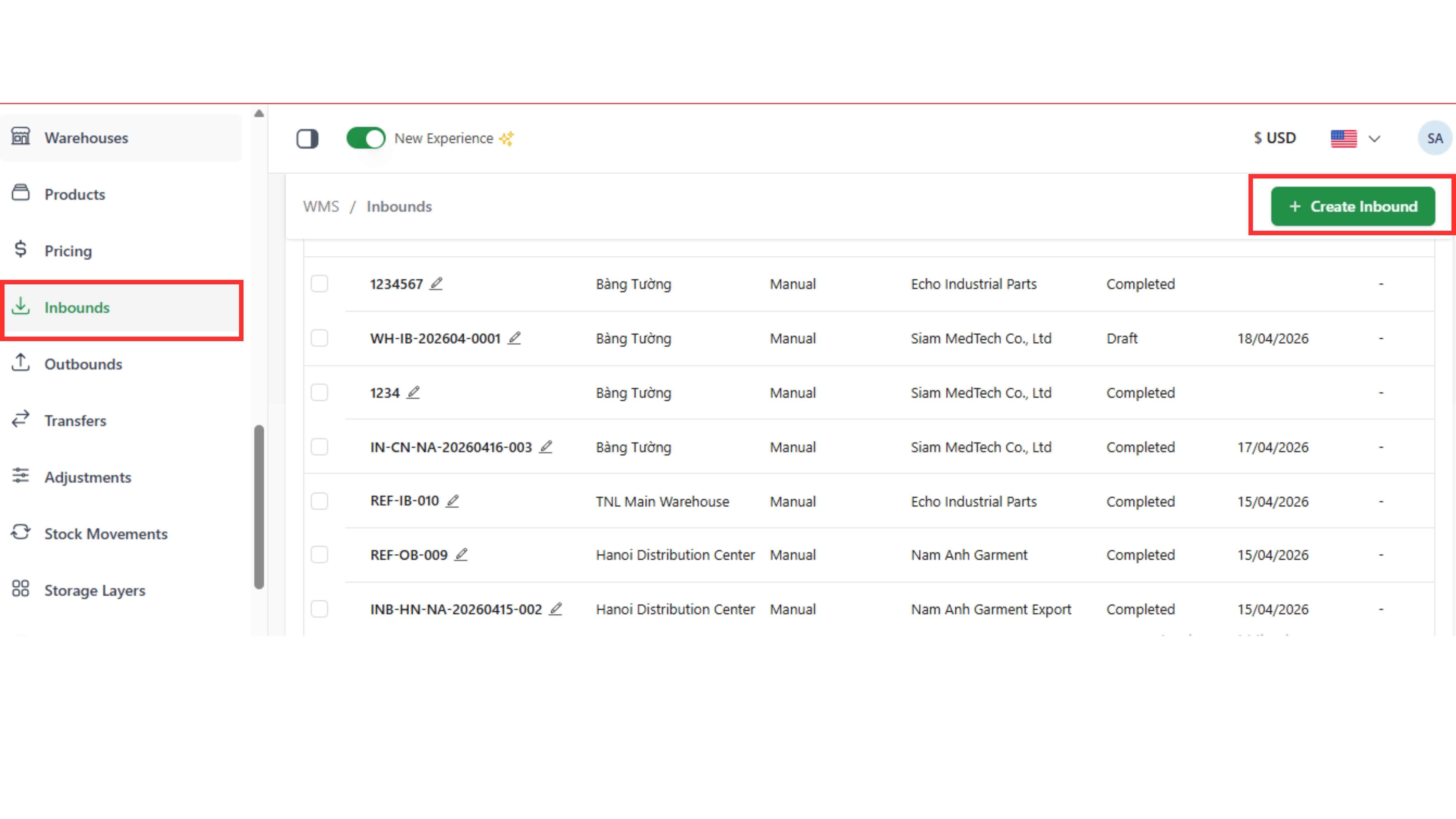
Step 1: Go to the “Inbound” tab and click “Create Inbound” in the top-right corner.
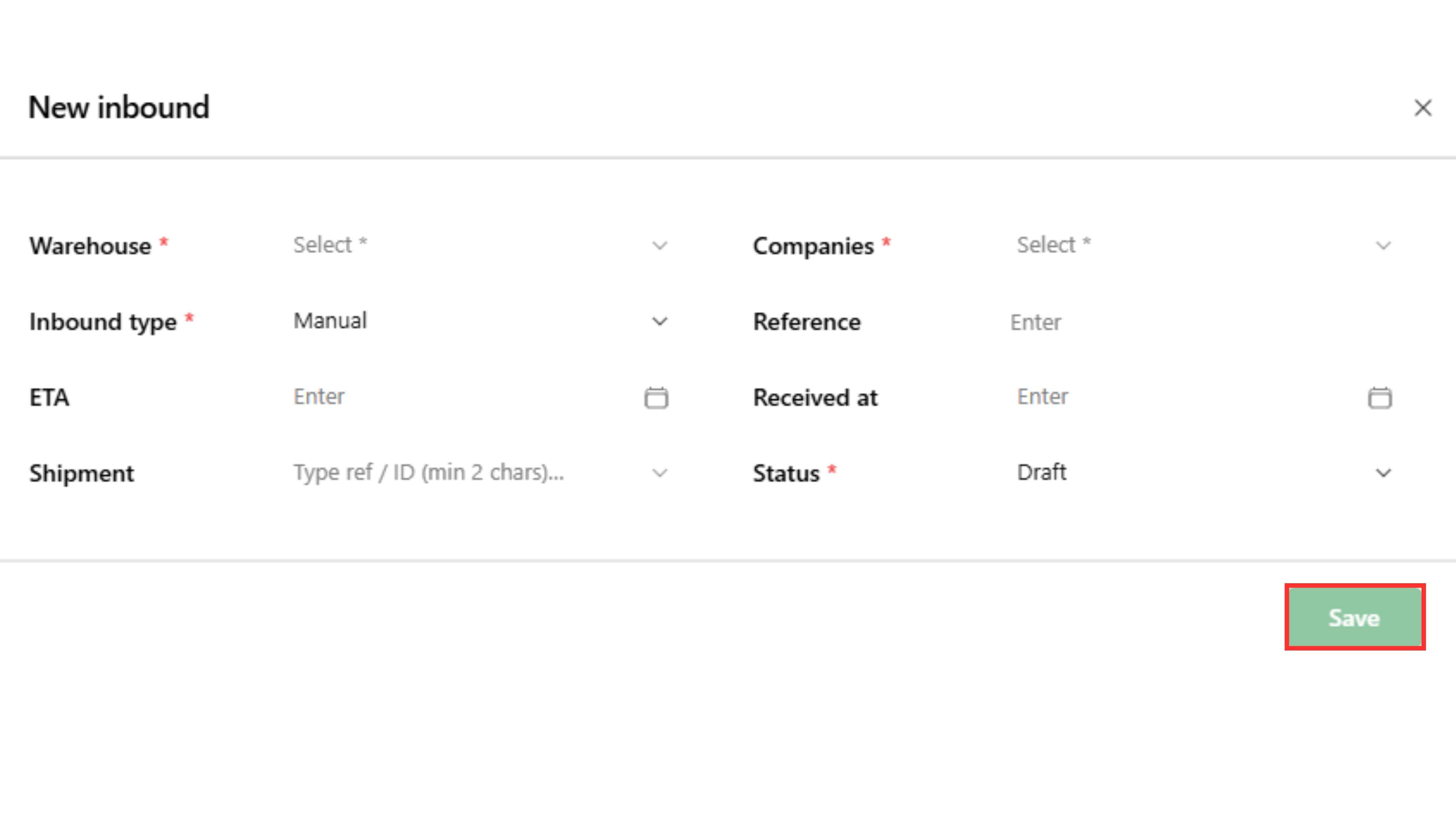
Step 2: Fill in the required fields and click “Save”
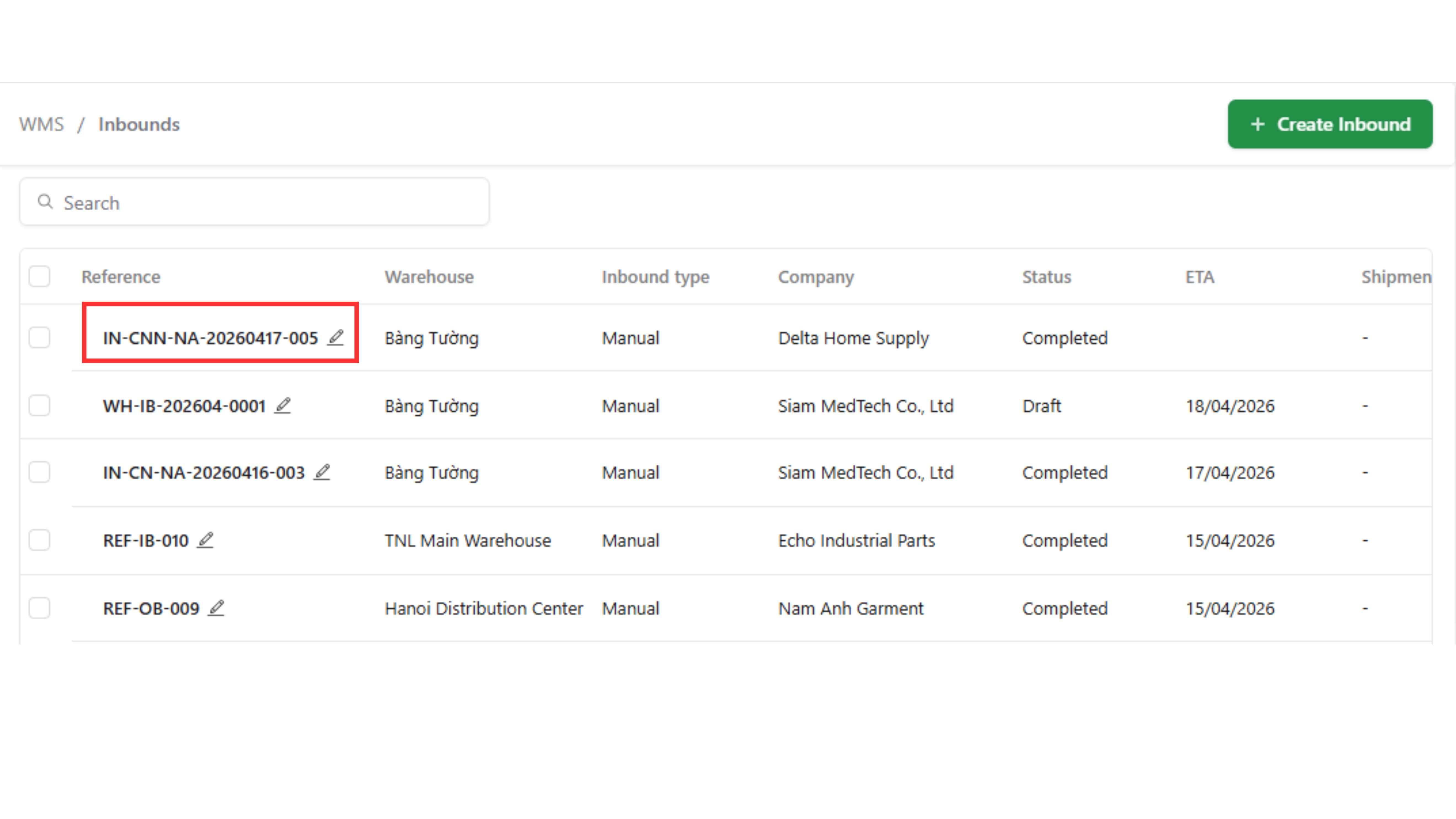
Step 3: Click “Edit” (pen icon)
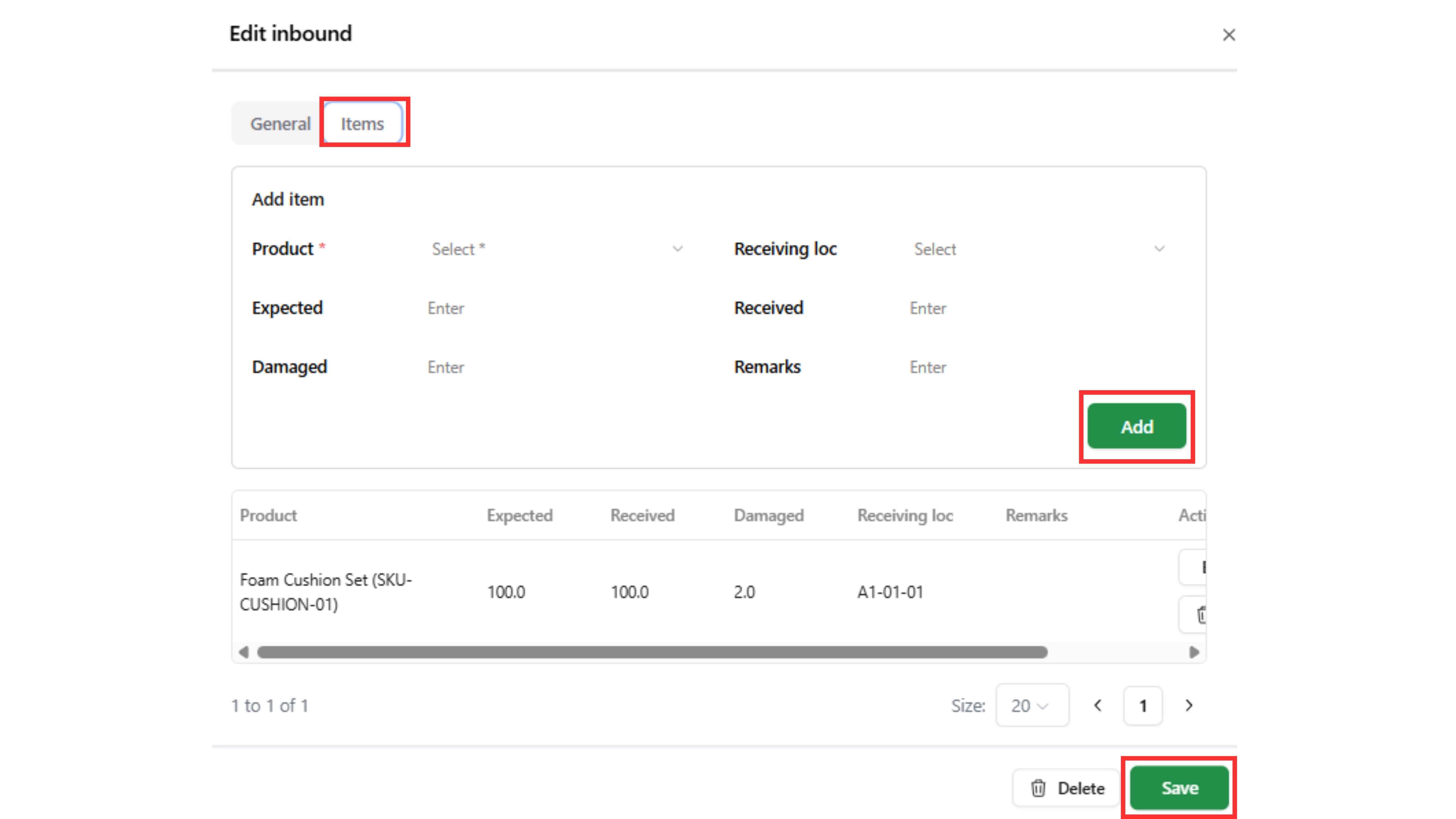
Step 4: Go to “Items” page → Fill in the required fields → click “Add” items → click “Save”
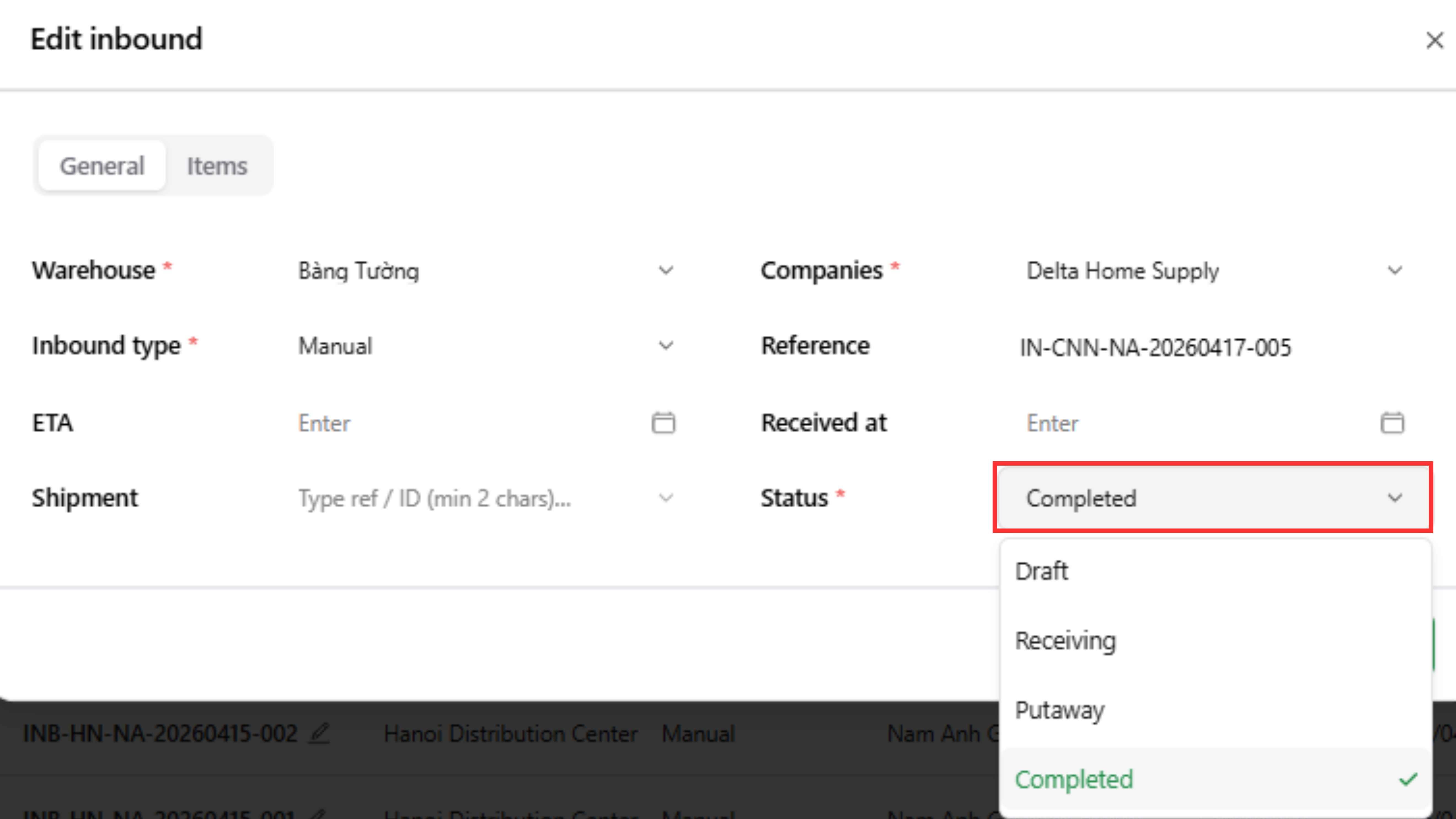
Step 5: Change Status → “Completed” → click “Save”
Note:
- Inbound is only recorded into stock movement and storage layers when status = Completed
- After status = Completed, the inbound cannot be edited anymore