

 Back to all FAQs
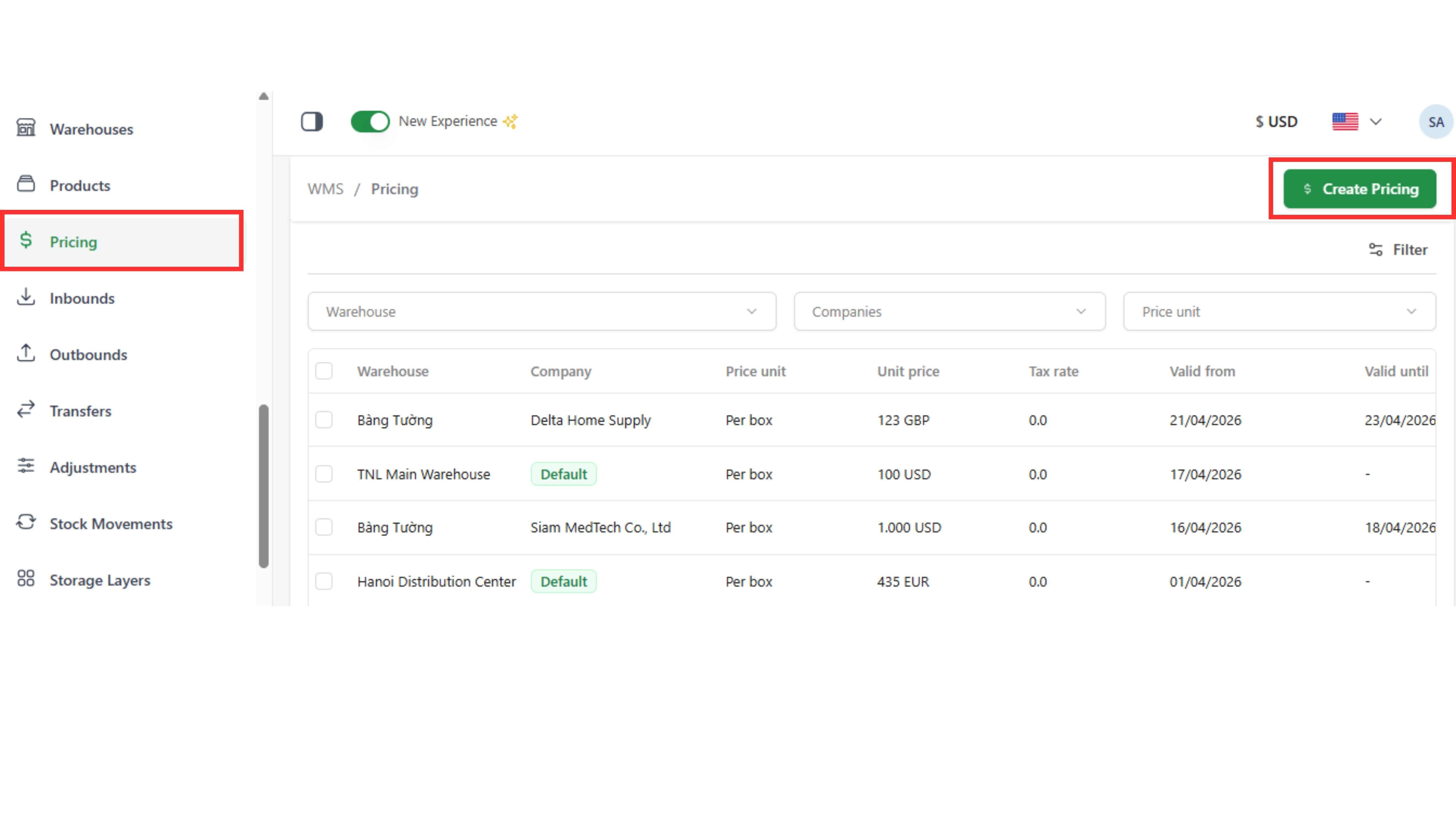
Step 1: Go to the “Pricing” tab and click “Create Pricing” (top-right corner)
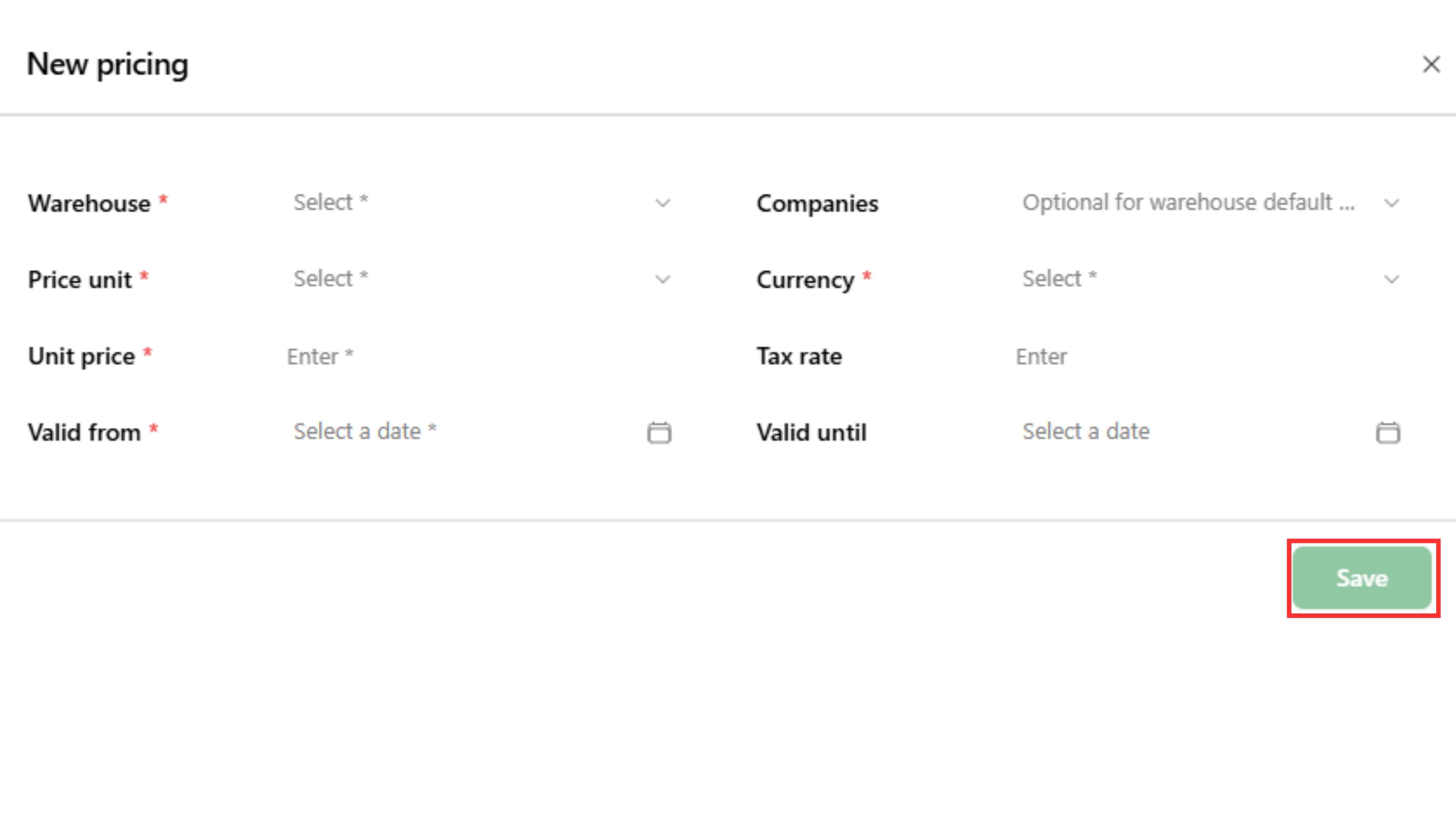
Step 2: Fill in required fields → click “Save”
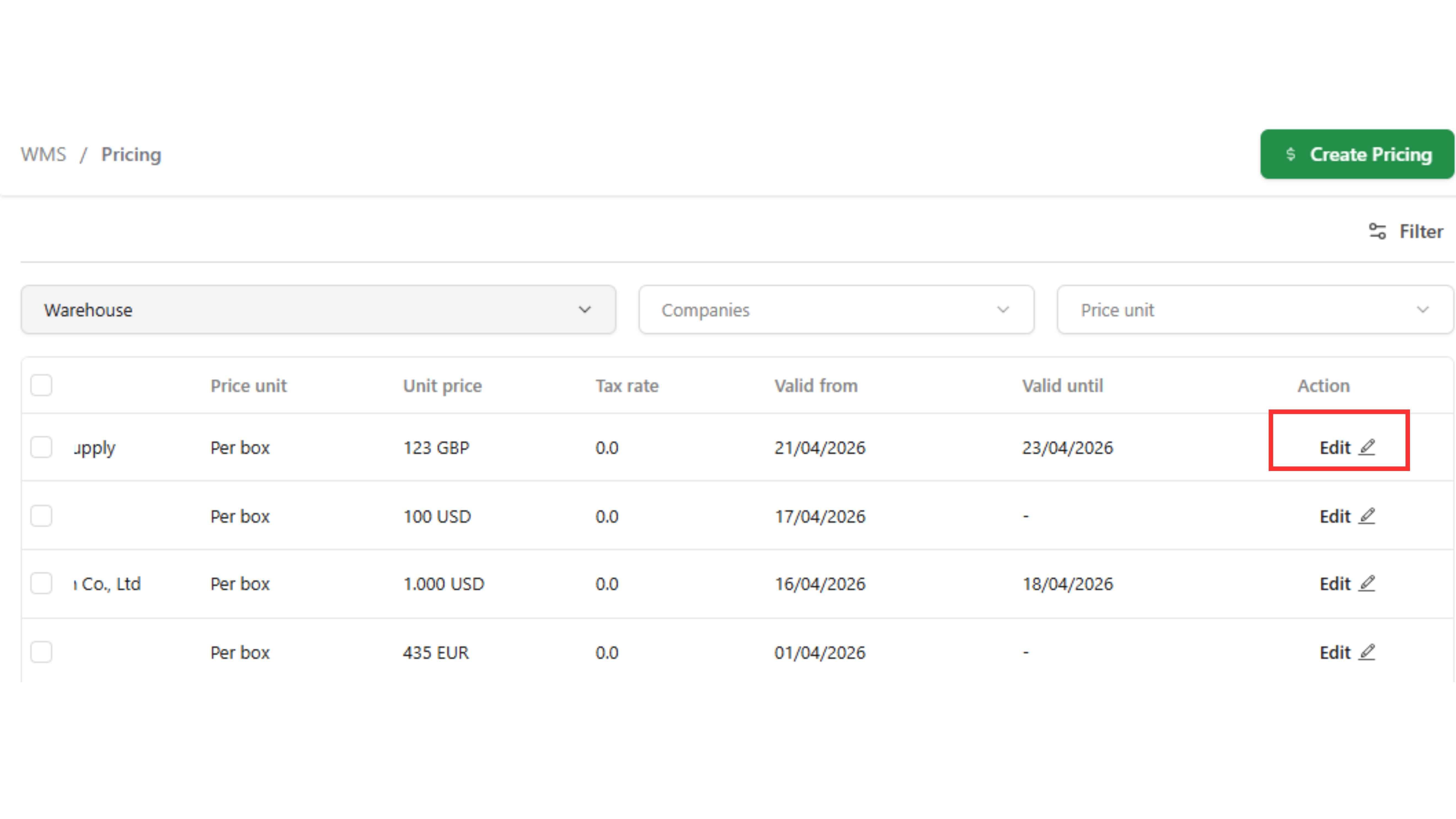
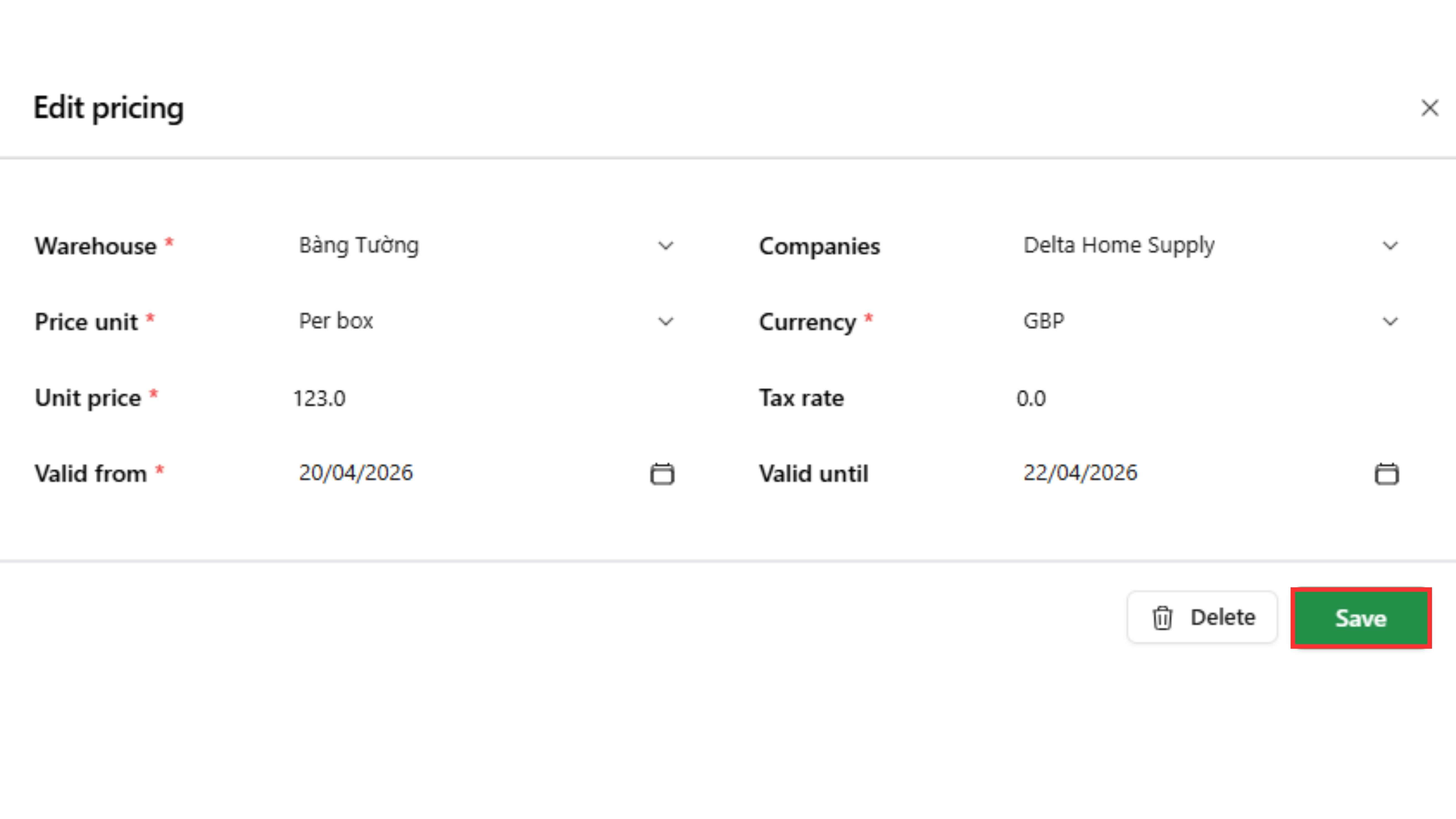
Step 3: Click the “Pen” icon at the end of the row to edit → “Save” (or Delete)
Step 1: Go to the “Pricing” tab and click “Create Pricing” (top-right corner)
Step 2: Fill in required fields → click “Save”
Step 3: Click the “Pen” icon at the end of the row to edit → “Save” (or Delete)