
 Back to all FAQs
1. Create a Pipeline
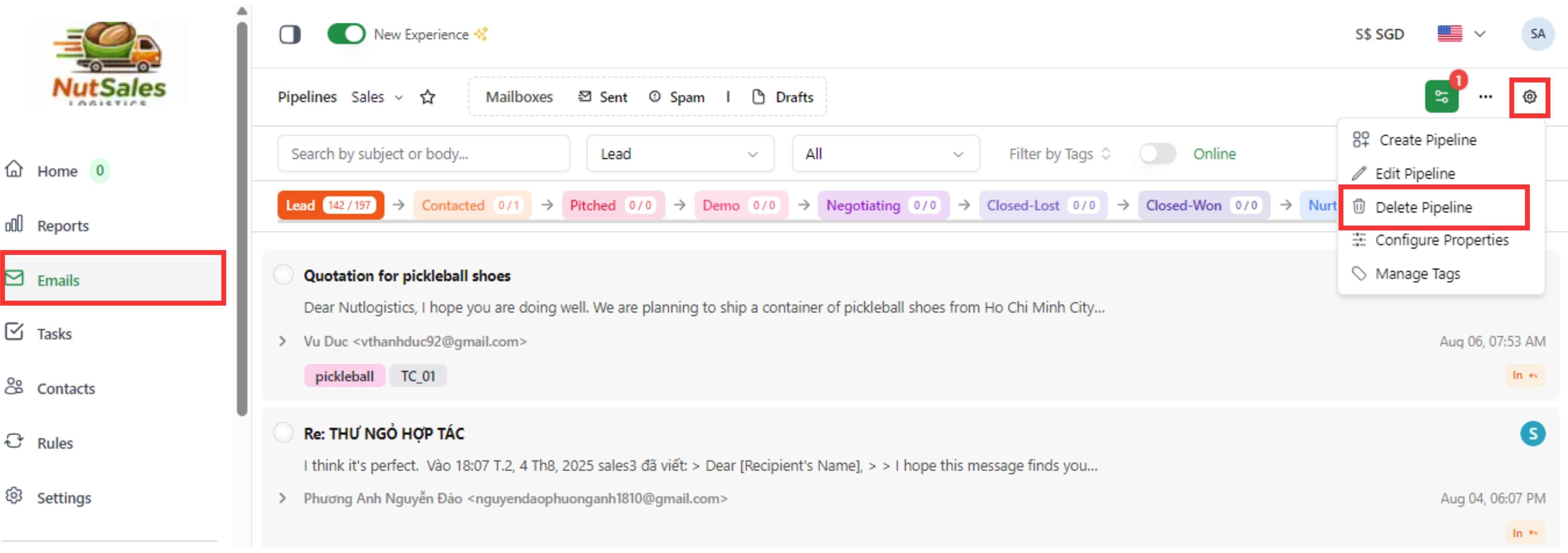
Step 1: Click “EMAIL” page on left taskbar
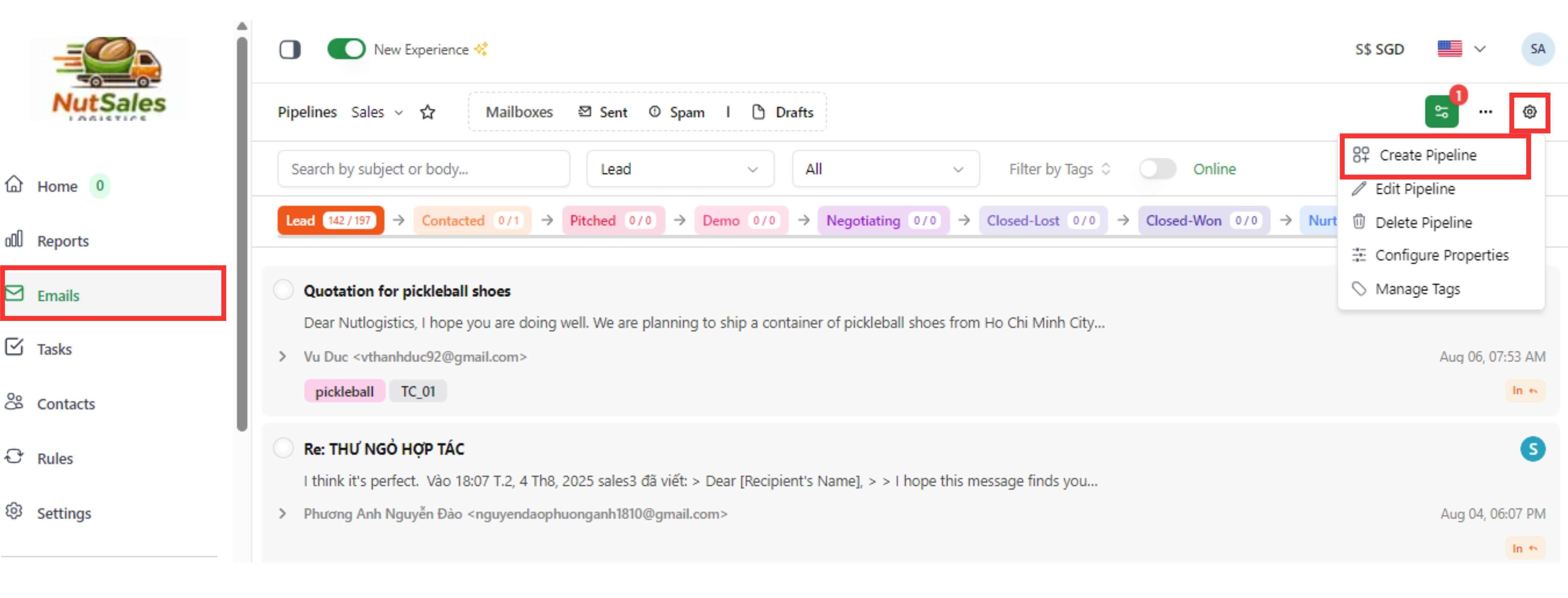
Step 2: Click on the “Setting” symbol next to the three-dot button and choose “Create Pipeline” to create a new pipeline.
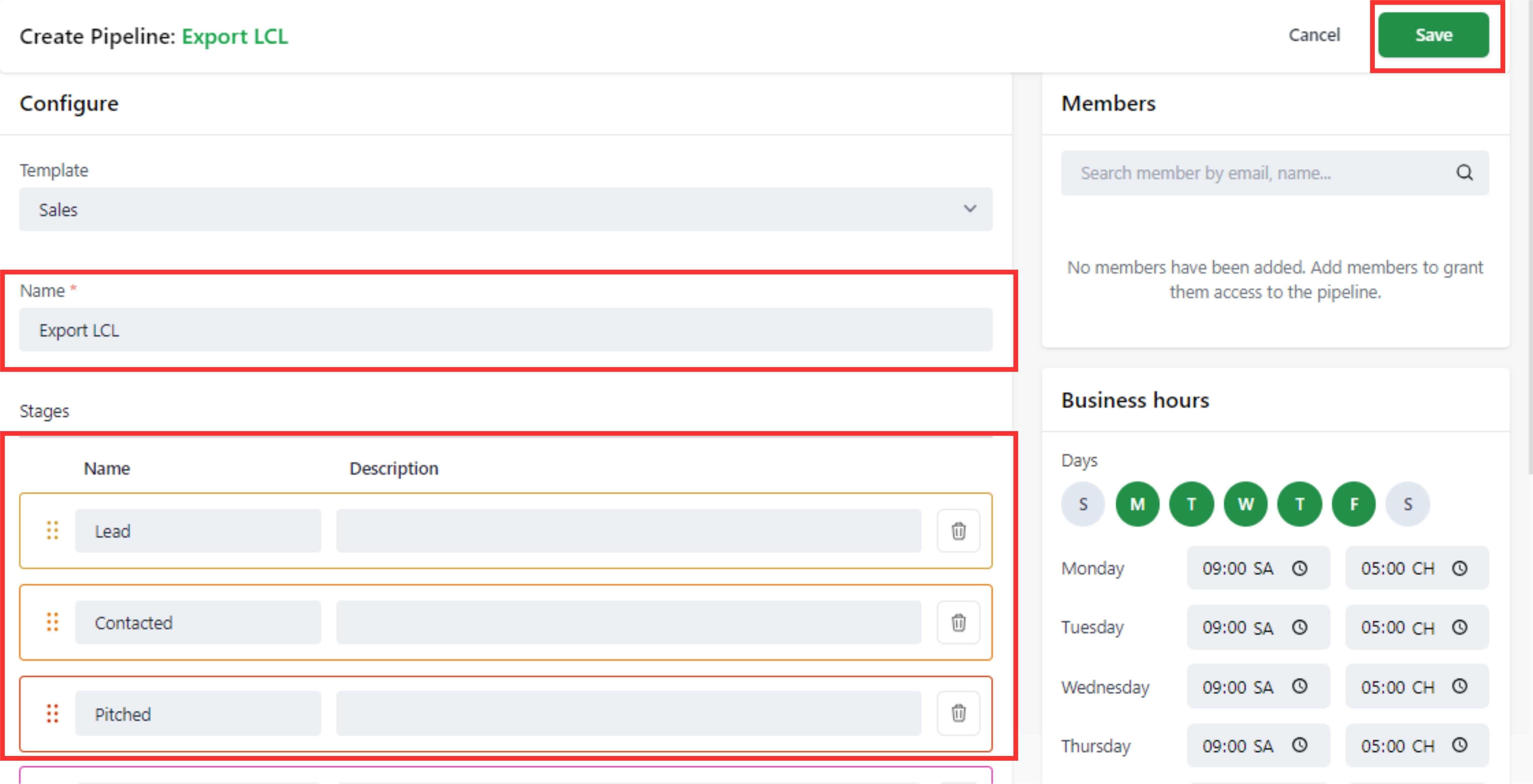
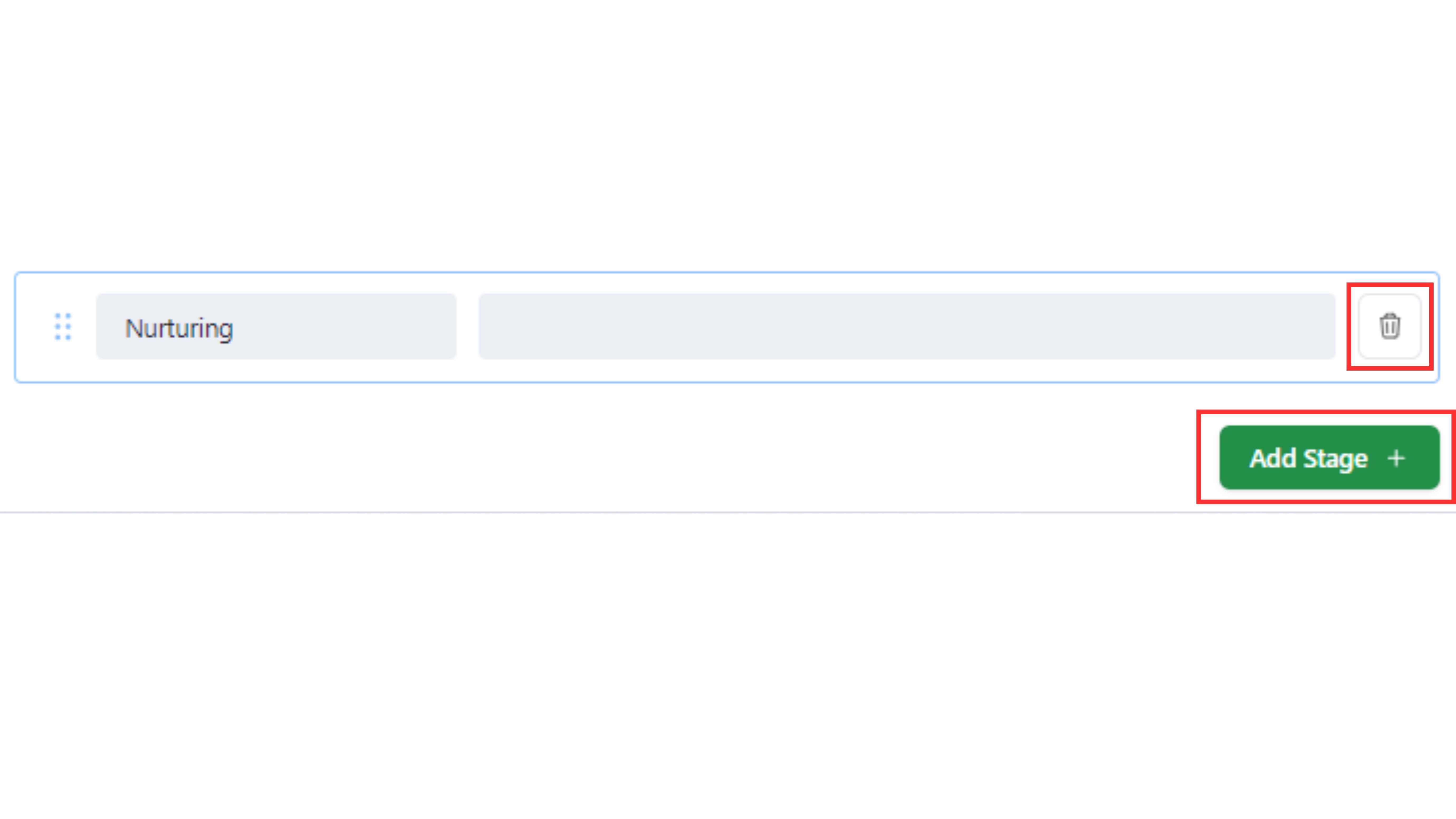
Step 3: Set the name for pipeline, the name (or description) for stages and “Save"
2. Delete a Pipeline
NOTE: Only admin can delete the pipeline. Step 1: If you need to delete a pipeline, simply select the “Setting” symbol next to the three-dot button