
 Back to all FAQs
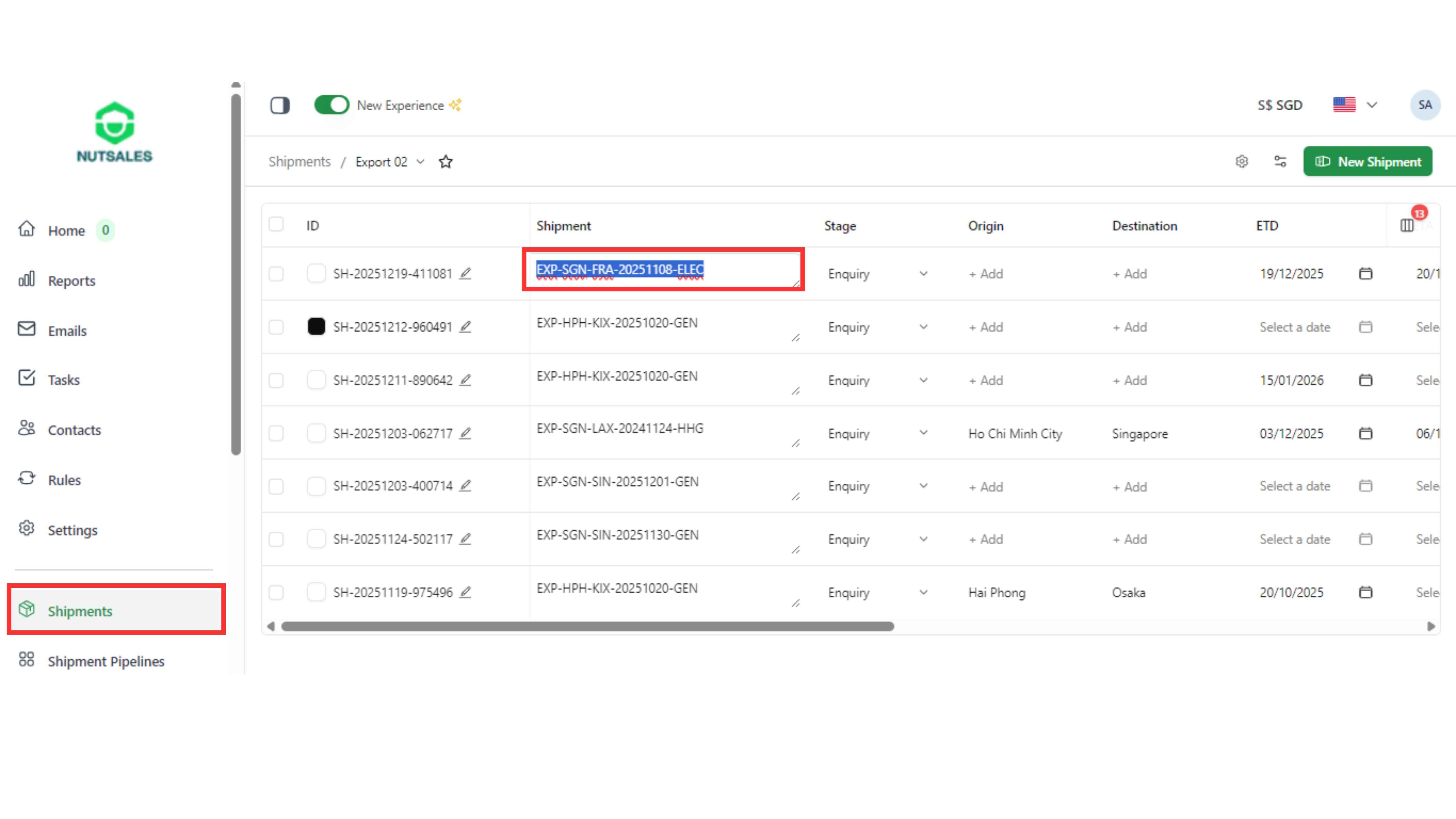
Step 1: Go to the “Shipments" page and copy the shipment name.
Step 2: Open the Invoices page and click the “Create Invoice” button on the top right of the screen.

Step 3: Fill the invoice details (type, ledger type, issue date, due date, bill to). In “Select Sources”, paste and select the shipment name.

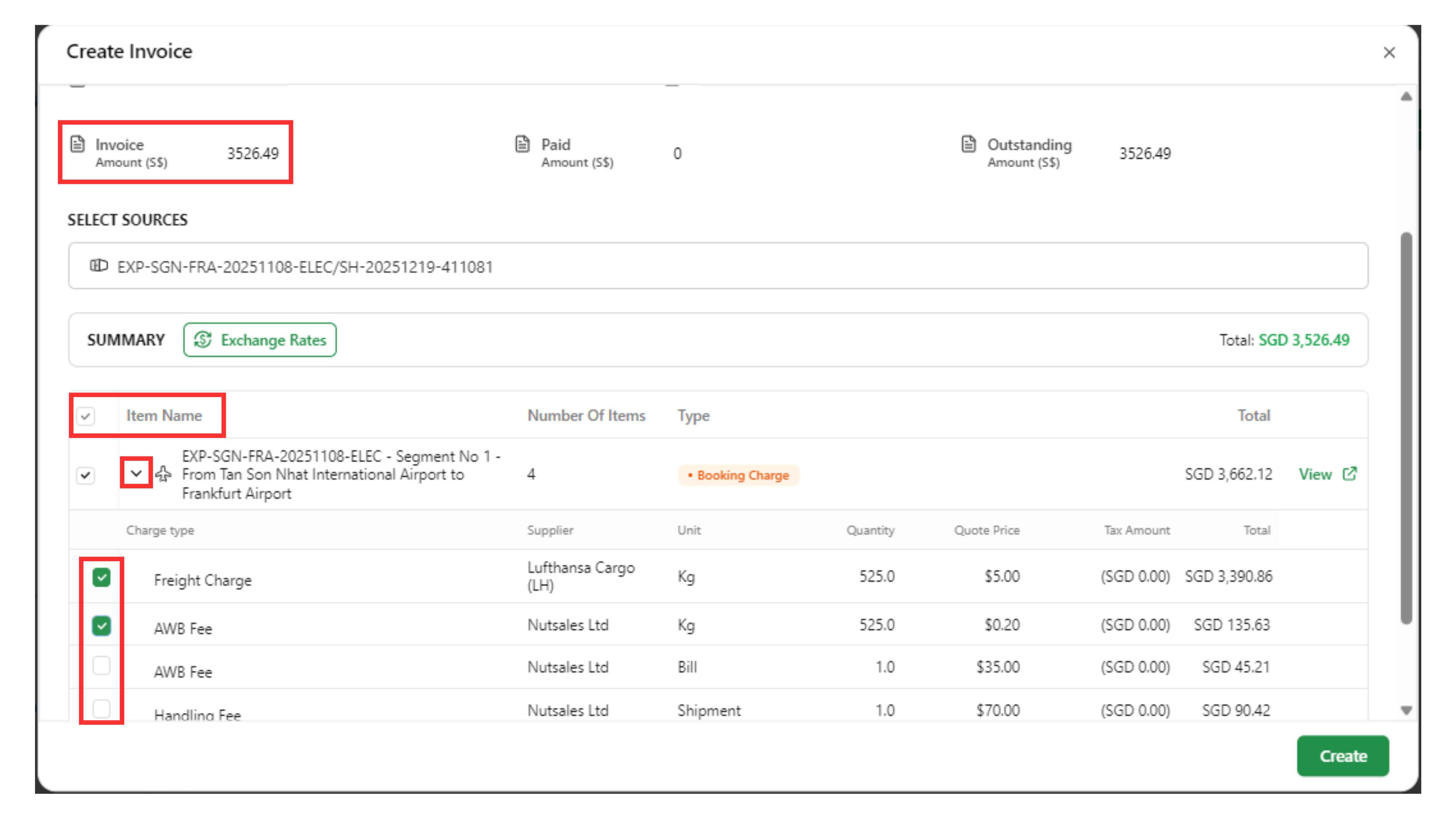
Step 4: Select the item in “Item Name”, click the arrow to choose the charge type, and the “Invoice Amount” will be filled automatically.
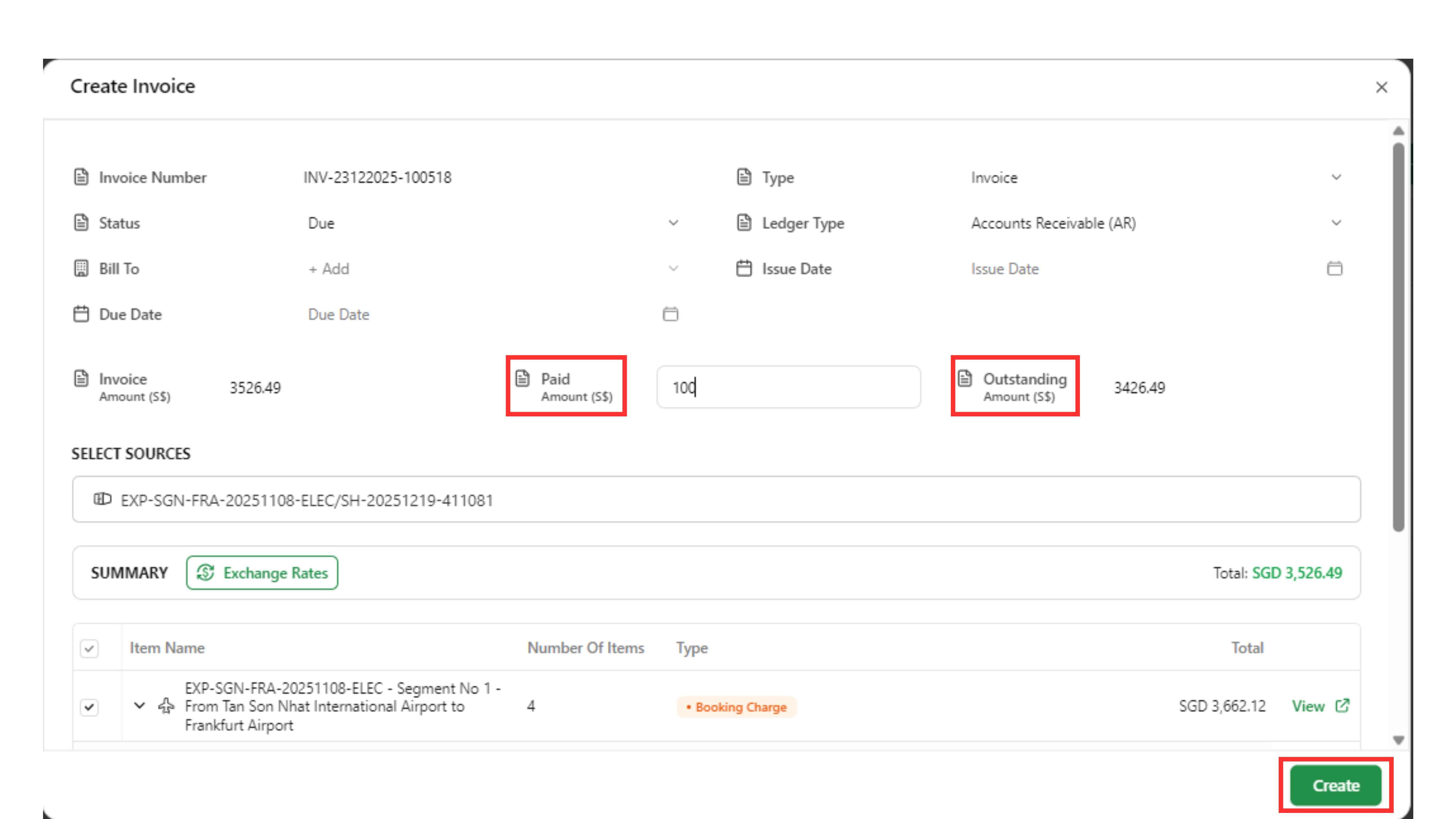
Step 5: If applicable, update “Paid Amount”. The “Outstanding Amount” will update automatically. Click “Create”.