
 Back to all FAQs
How to create information related to the shipment
1. Charge Types
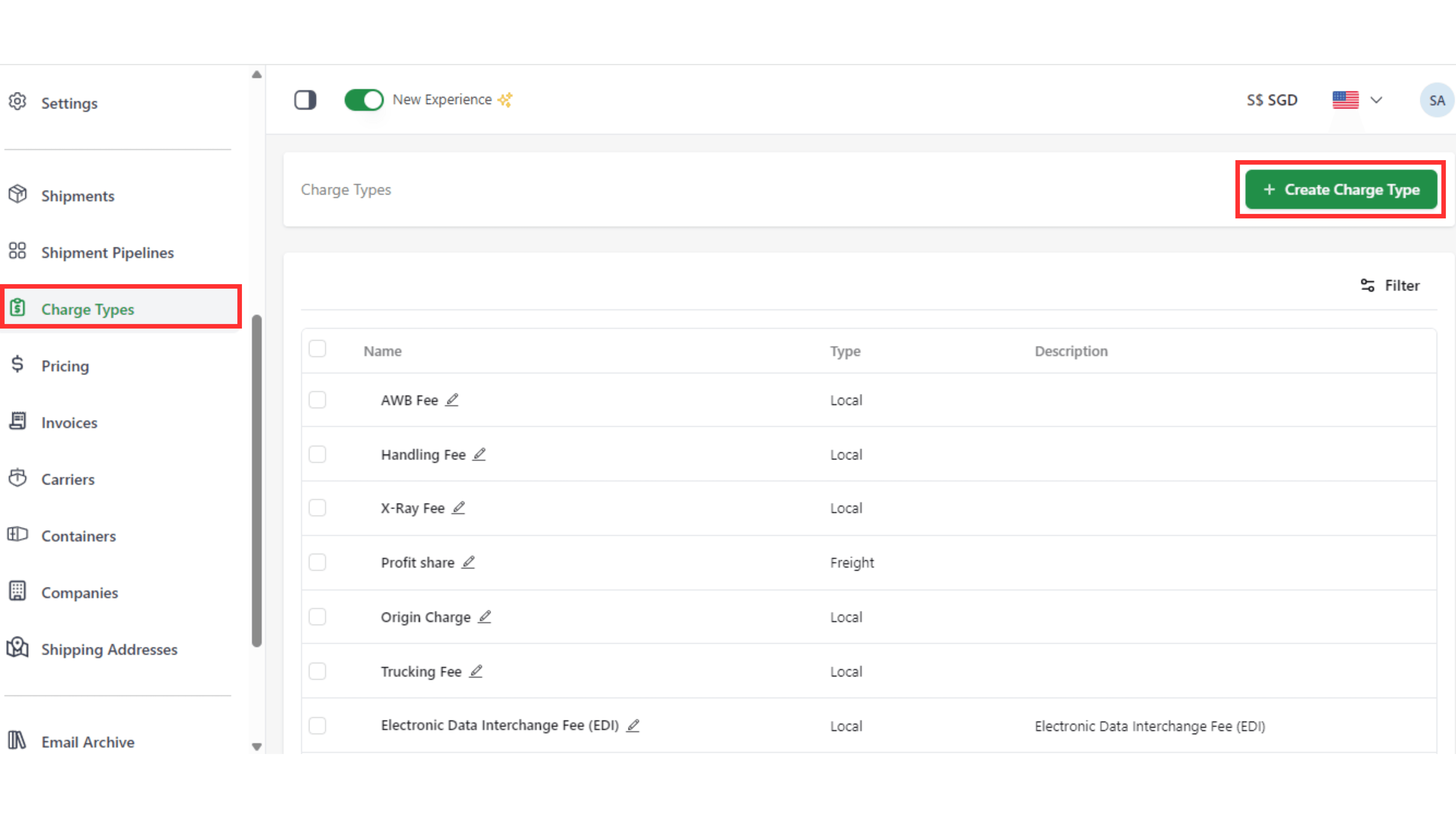
Step 1: Go to the “Charge Types” page and click “Create Charge Type” in the top-right corner.
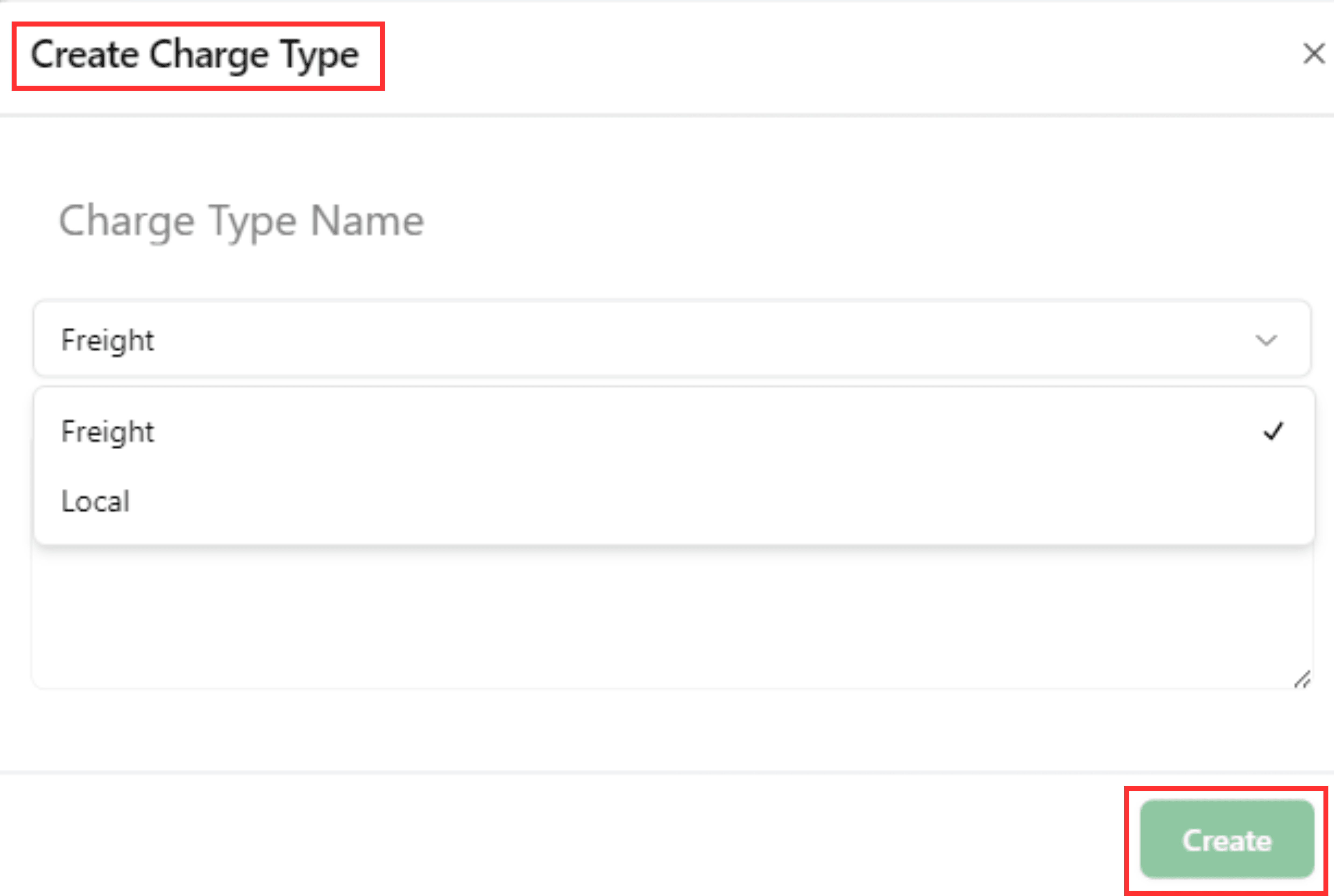
Step 2: Fill the information of your charge type (name, details, charge type), then click "Create"
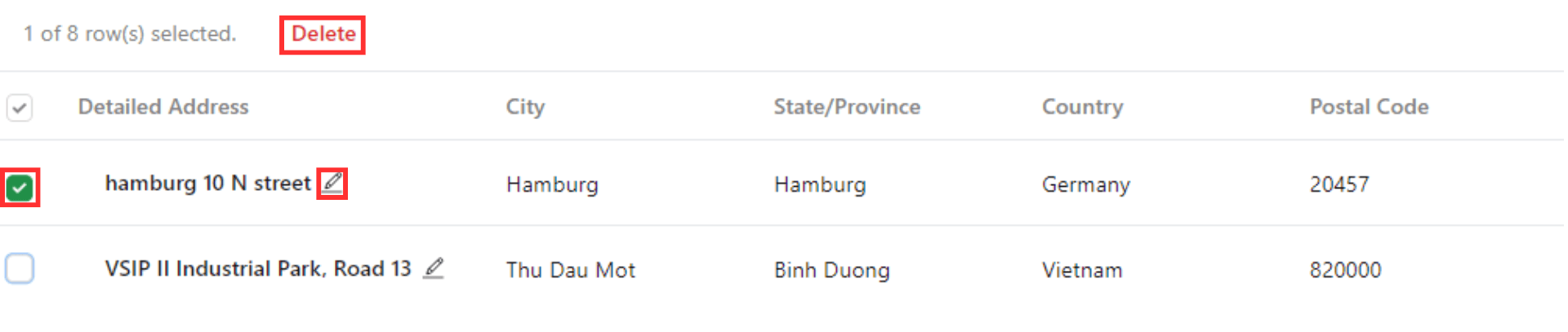
NOTE: You can rename and change the details of the charge by choosing the "Pen" symbol. Besides, you can also click to the box at the first line to delete the charge.

2. Carriers
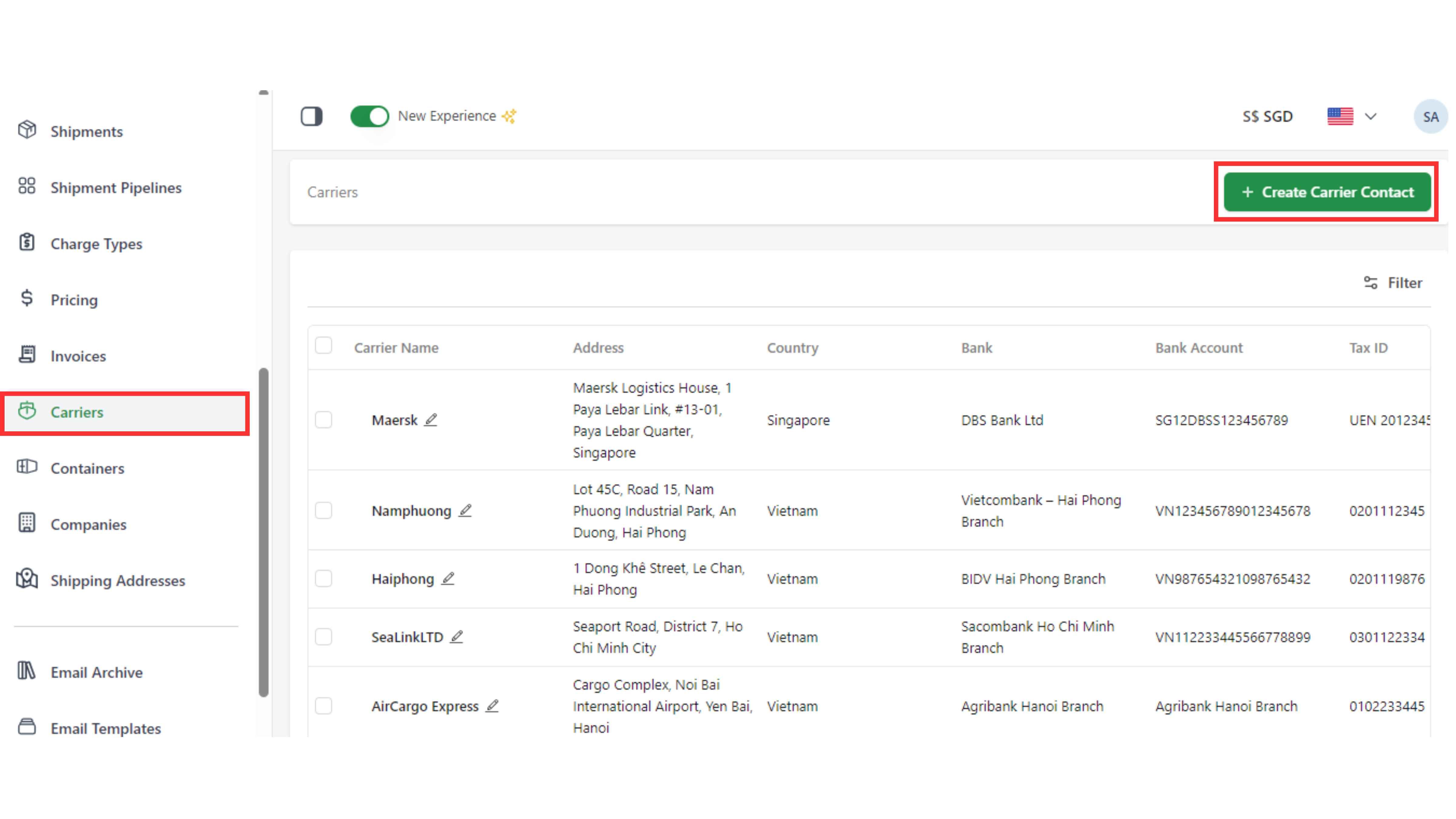
Step 1: Go to the “Carriers” page and click “Create Carrier Contact”.
Step 2: Fill the information of your carrier contact (name, details : general information and contact information), then click "Create".
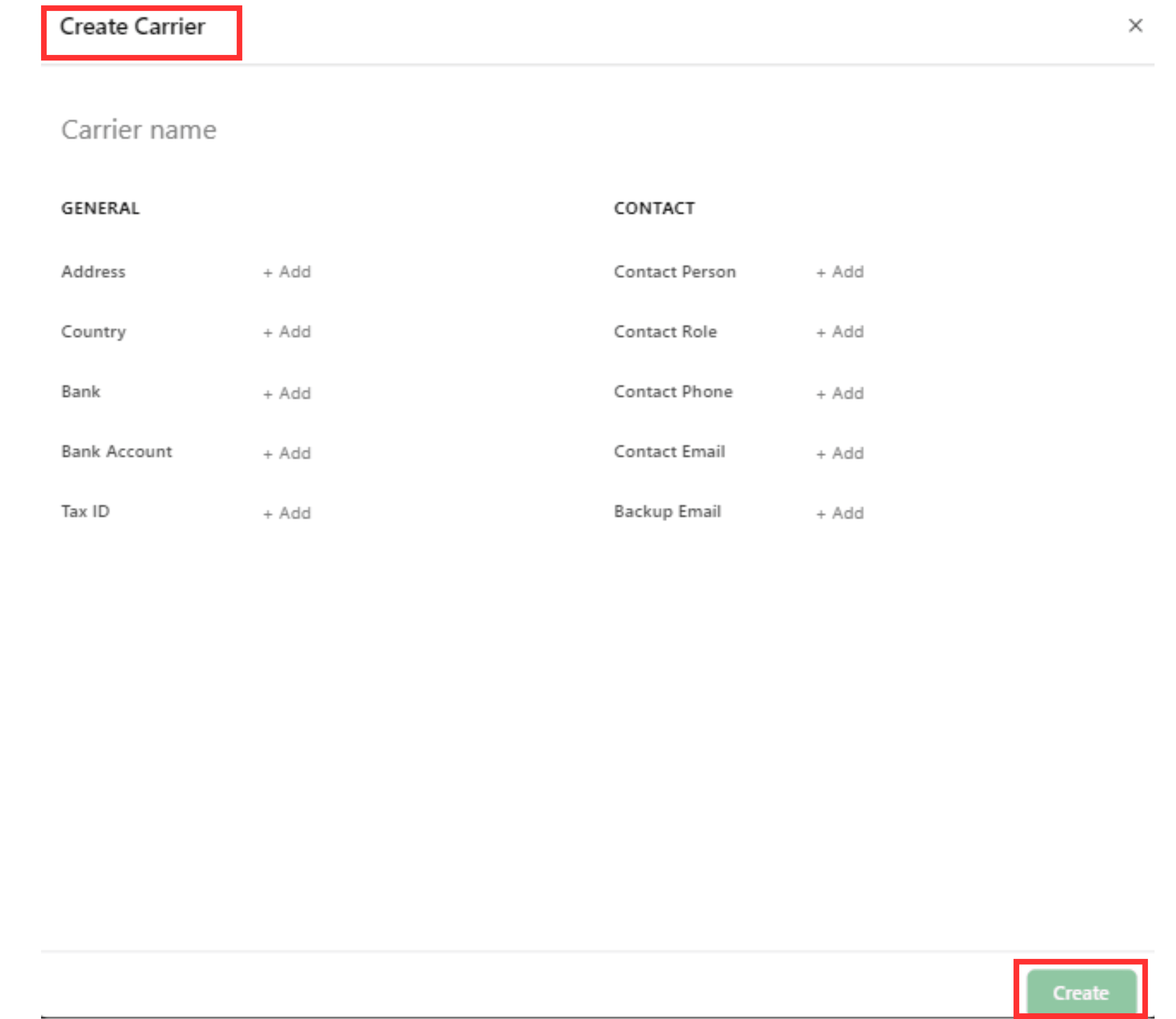
NOTE: You can rename and change the details of the carrier by choosing the "Pen" symbol. Besides, you can also click to the box at the first line to delete the carrier.
3. Companies
Step 1: Go to the “Companies” page and click “Create Company”.
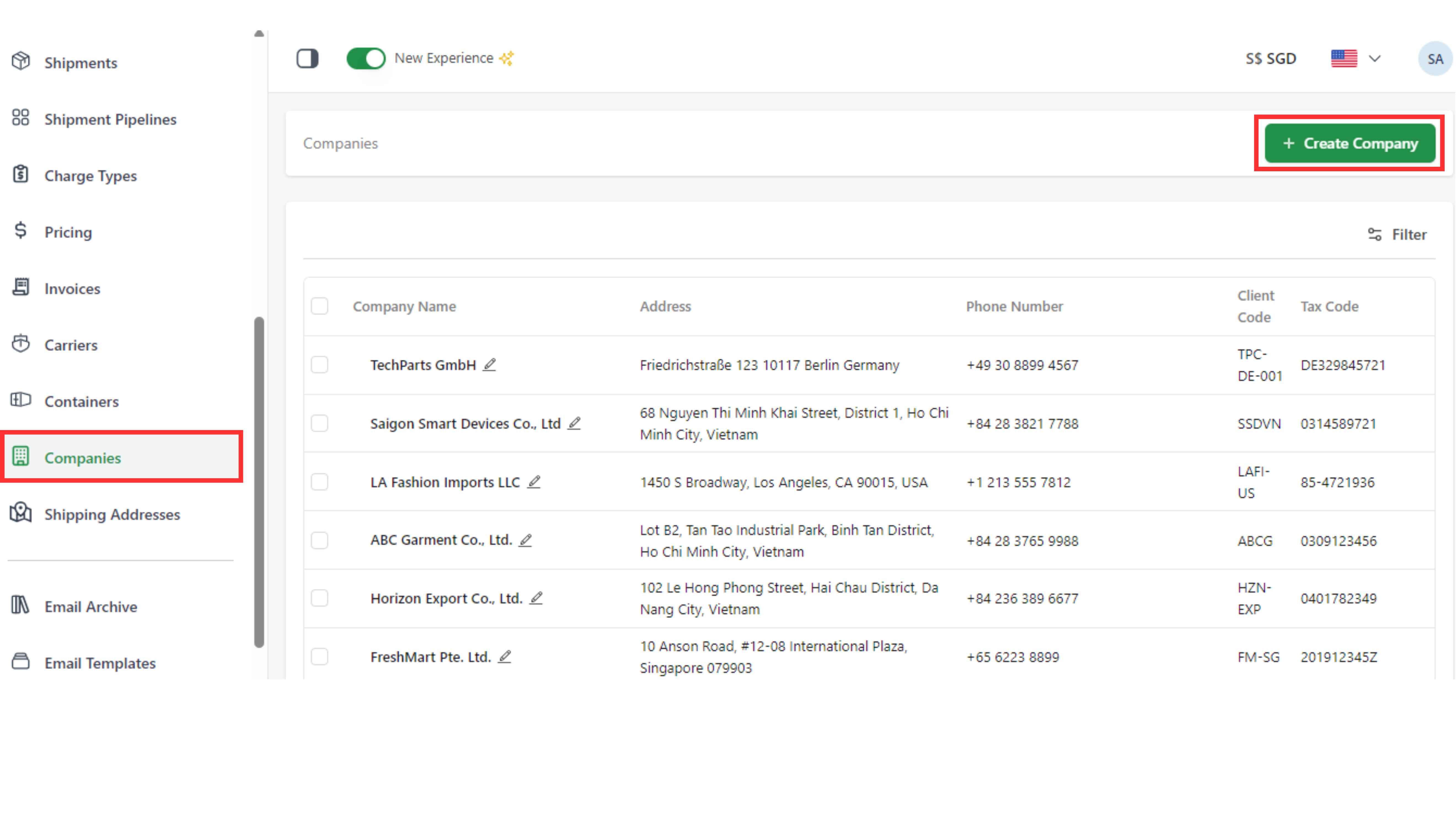
Step 2: Fill the information of your company information (name, details: address, email, tax code, phone number and client code), then click "Create".
In the “Linked Contacts” field, you can select a specific contact person for the company by typing their name or email.
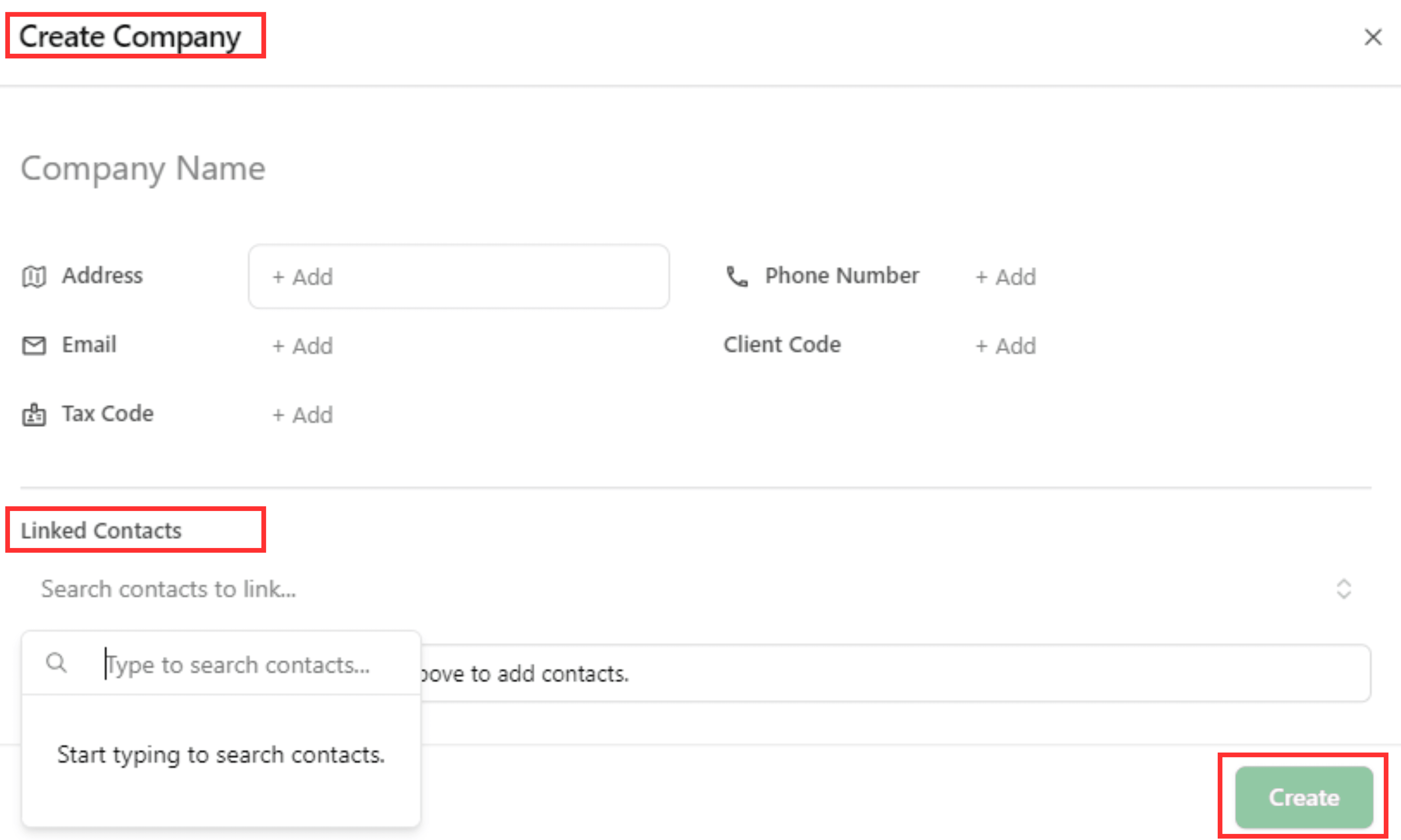
NOTE: You can rename and change the details of the company by choosing the "Pen" symbol. Besides, you can also click to the box at the first line to delete the company.

4. Shipping addresses
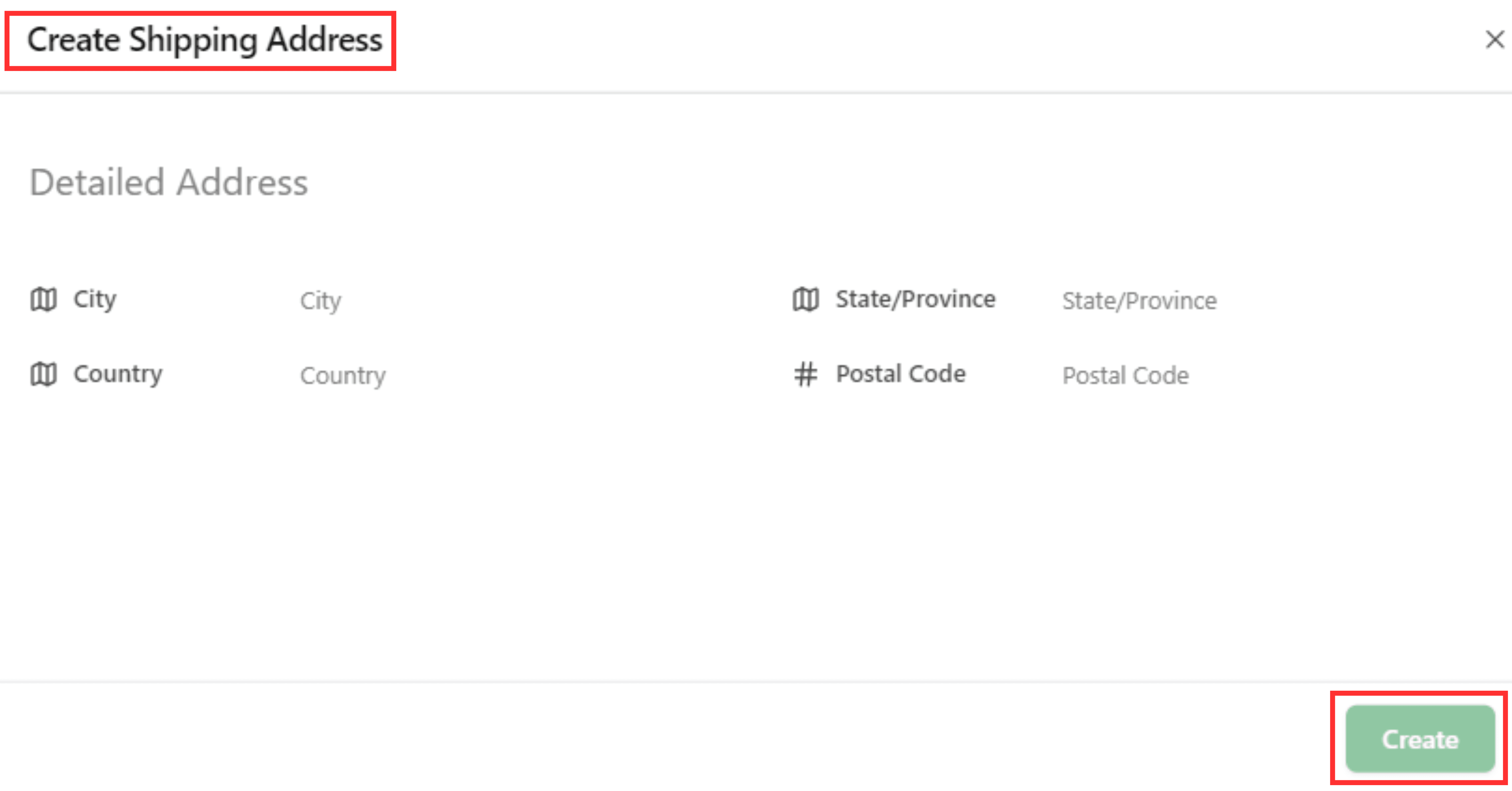
Step 1: Go to the “Shipping Addresses” page and click “Create Shipping Address”.
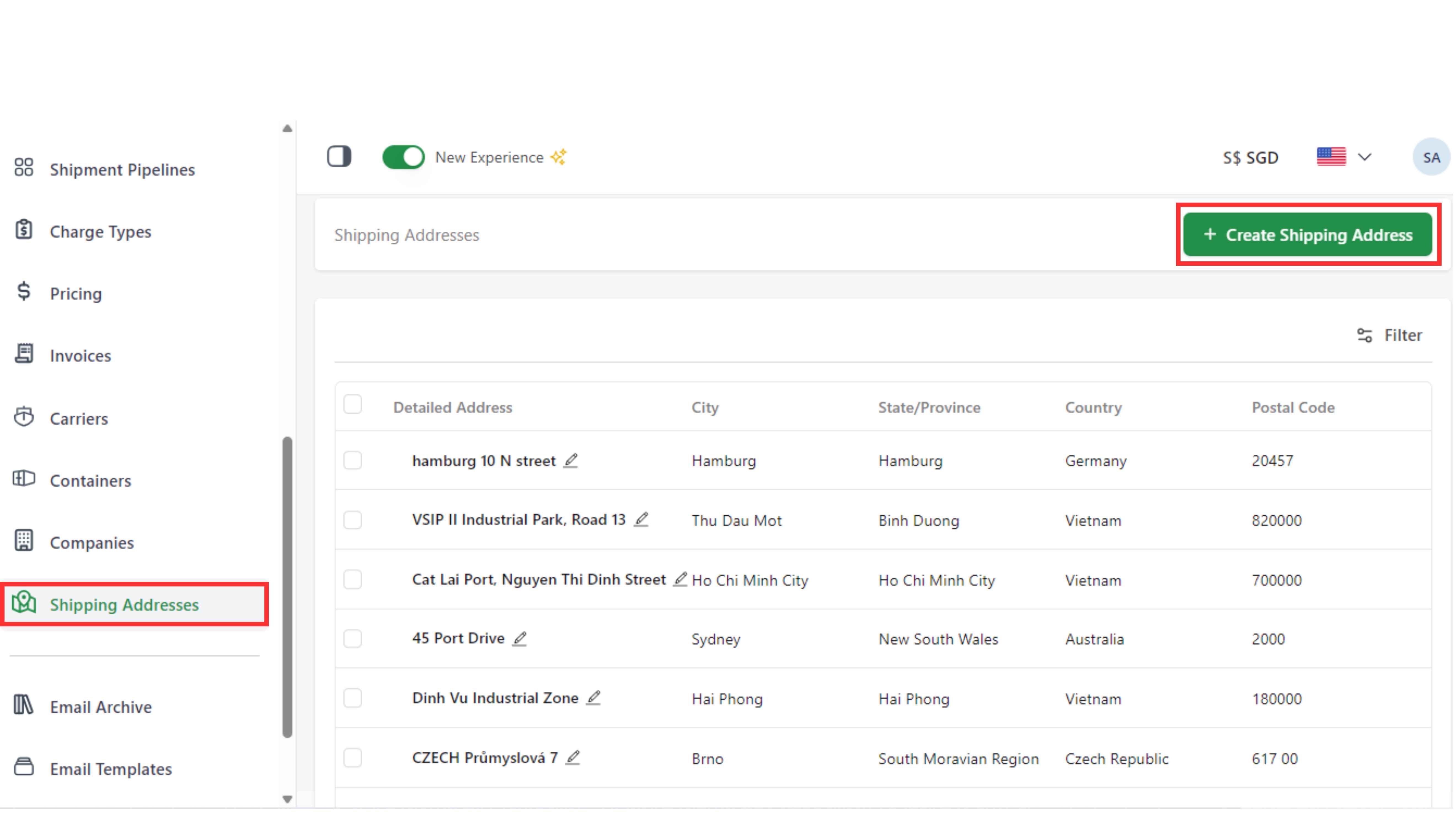
Step 2: Fill the information of shipping addresses (Detailed name, city, state/province, country, postal code), then click "Create".
NOTE: You can rename and change the details of the shipping addresses by choosing the "Pen" symbol. Besides, you can also click to the box at the first line to delete the company.