

 Back to all FAQs
Step 1: Access the “Shipment” page and select "Shipment Pipelines"
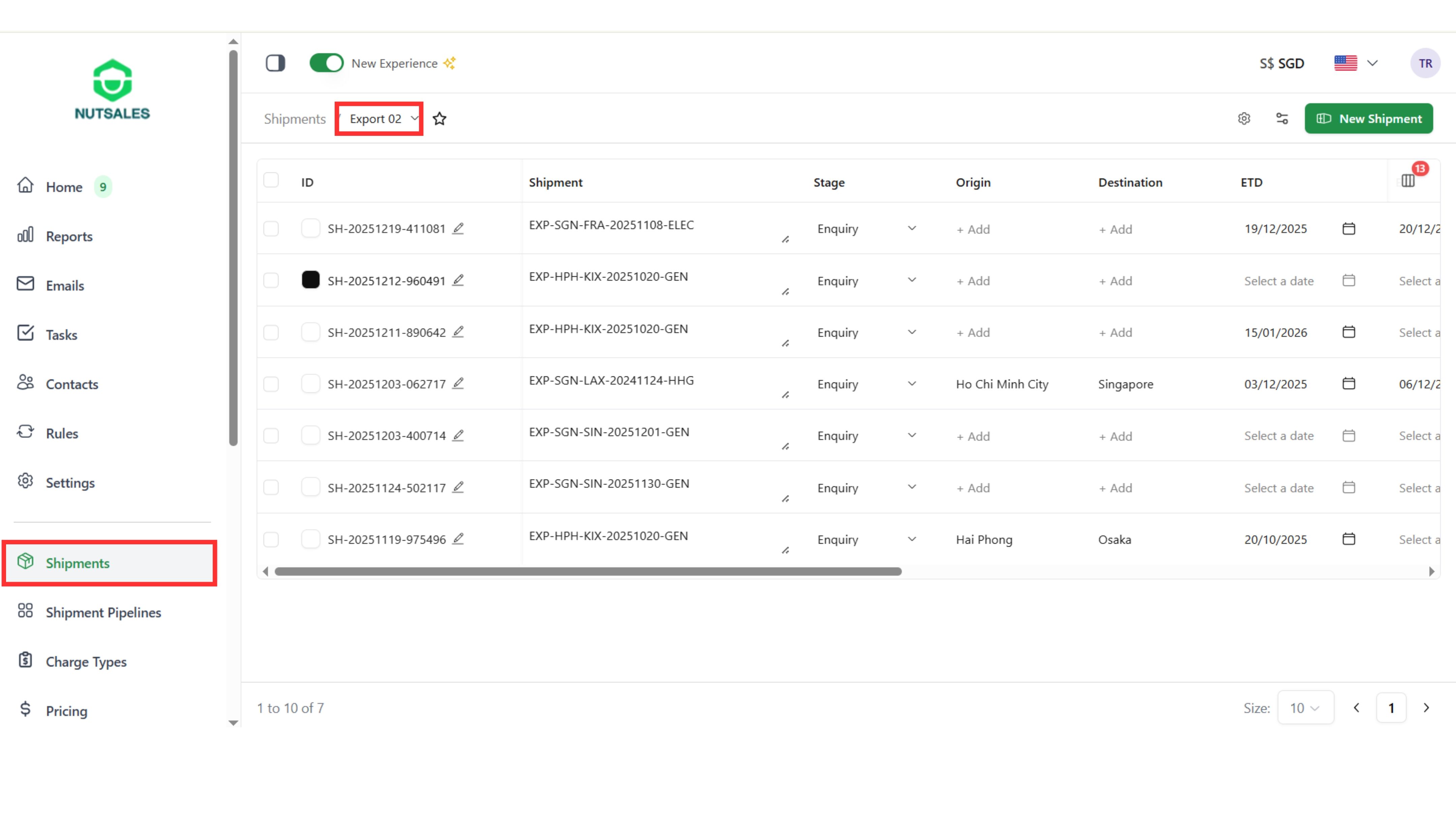
Step 2: Open a shipment, go to “Profit & Loss”, then click “Original Plan” and “Add Segment”

Step 3: Select the freight mode, origin, and destination

Step 4: Click “Add Charge” and select the charge
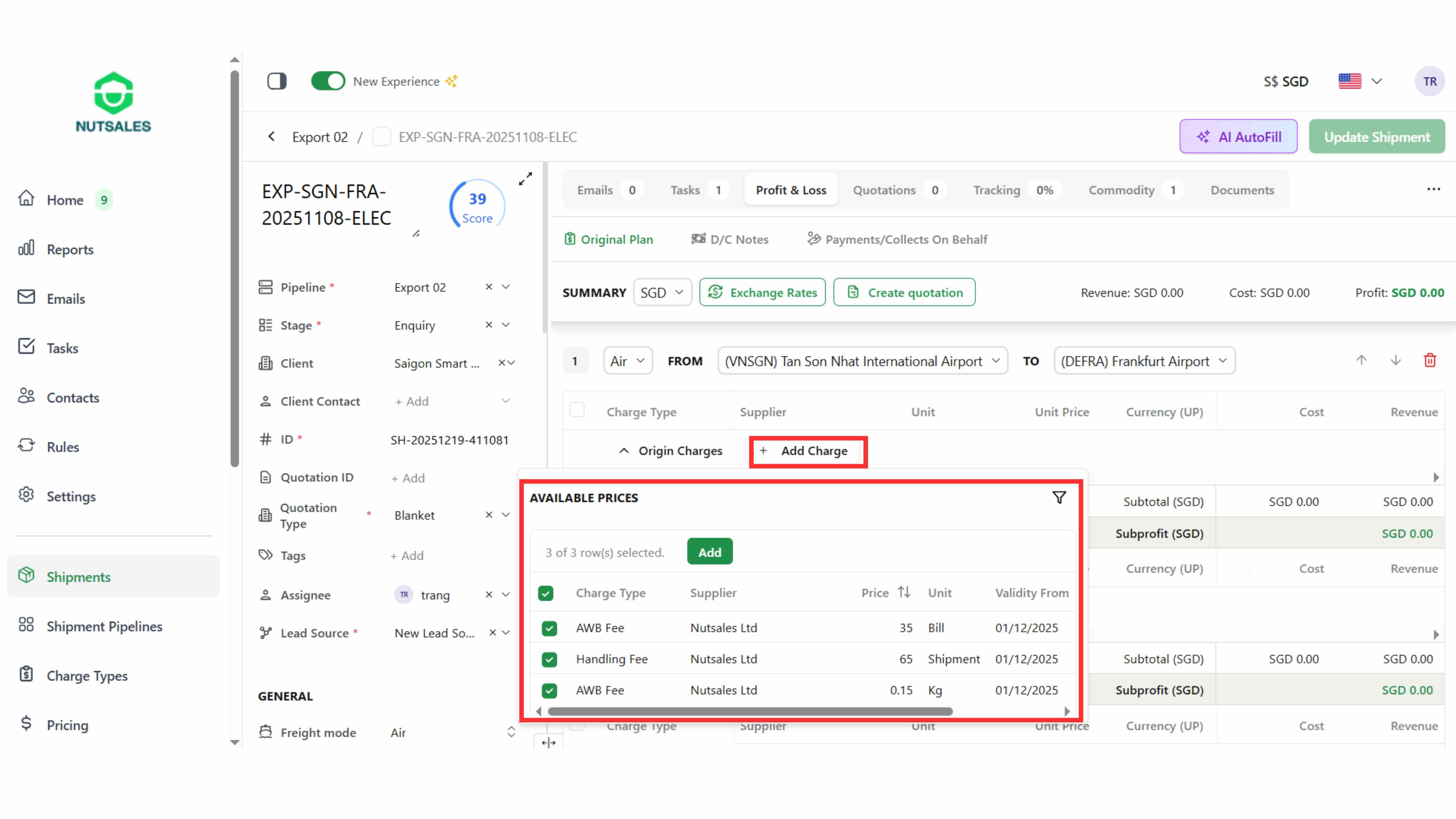
Step 5: Edit the quotation details