

 Back to all FAQs
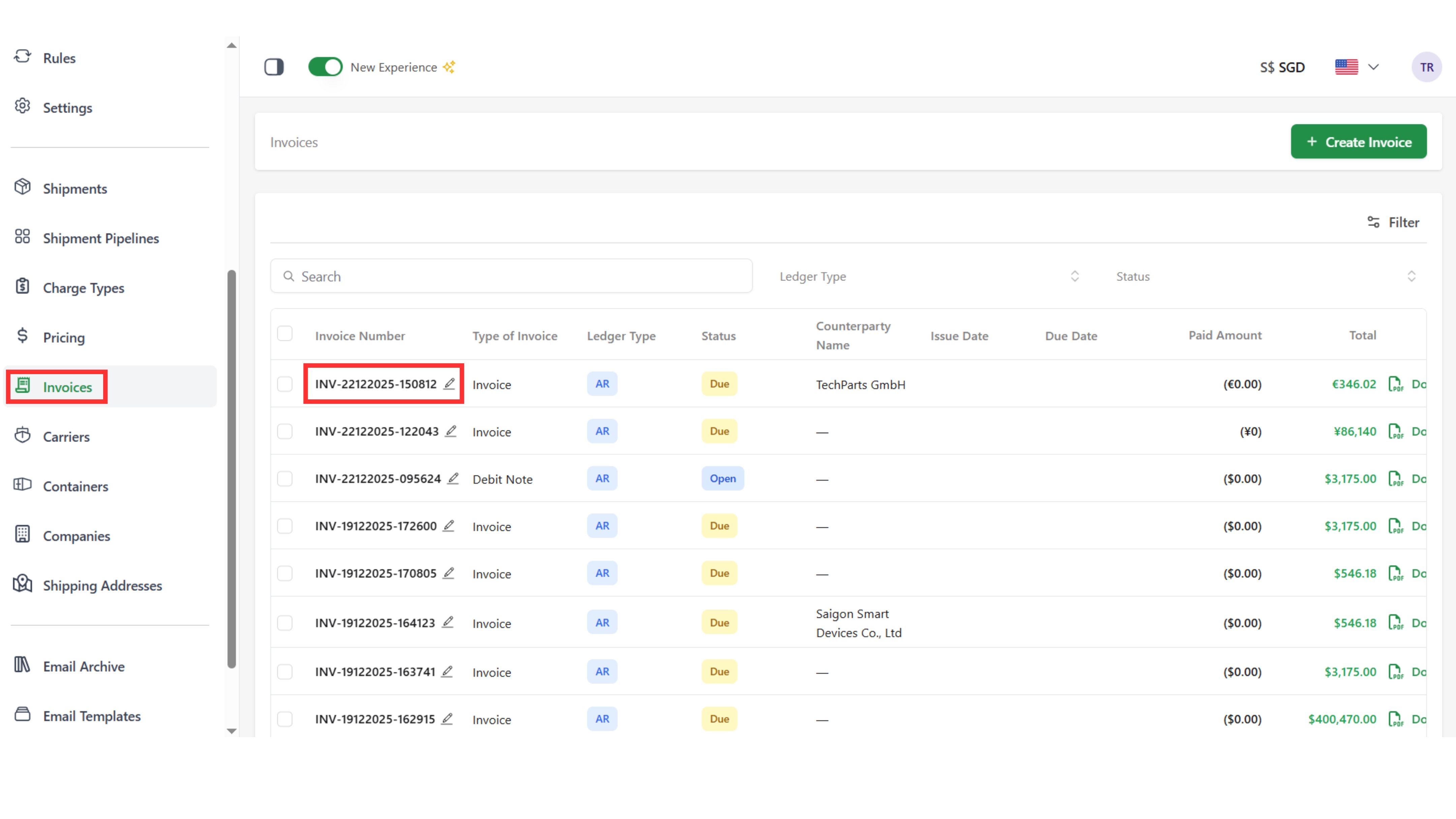
Step 1: Access the “Invoice” page and select an invoice
Step 2: Click “Exchange Rates”, update the exchange rate, and save
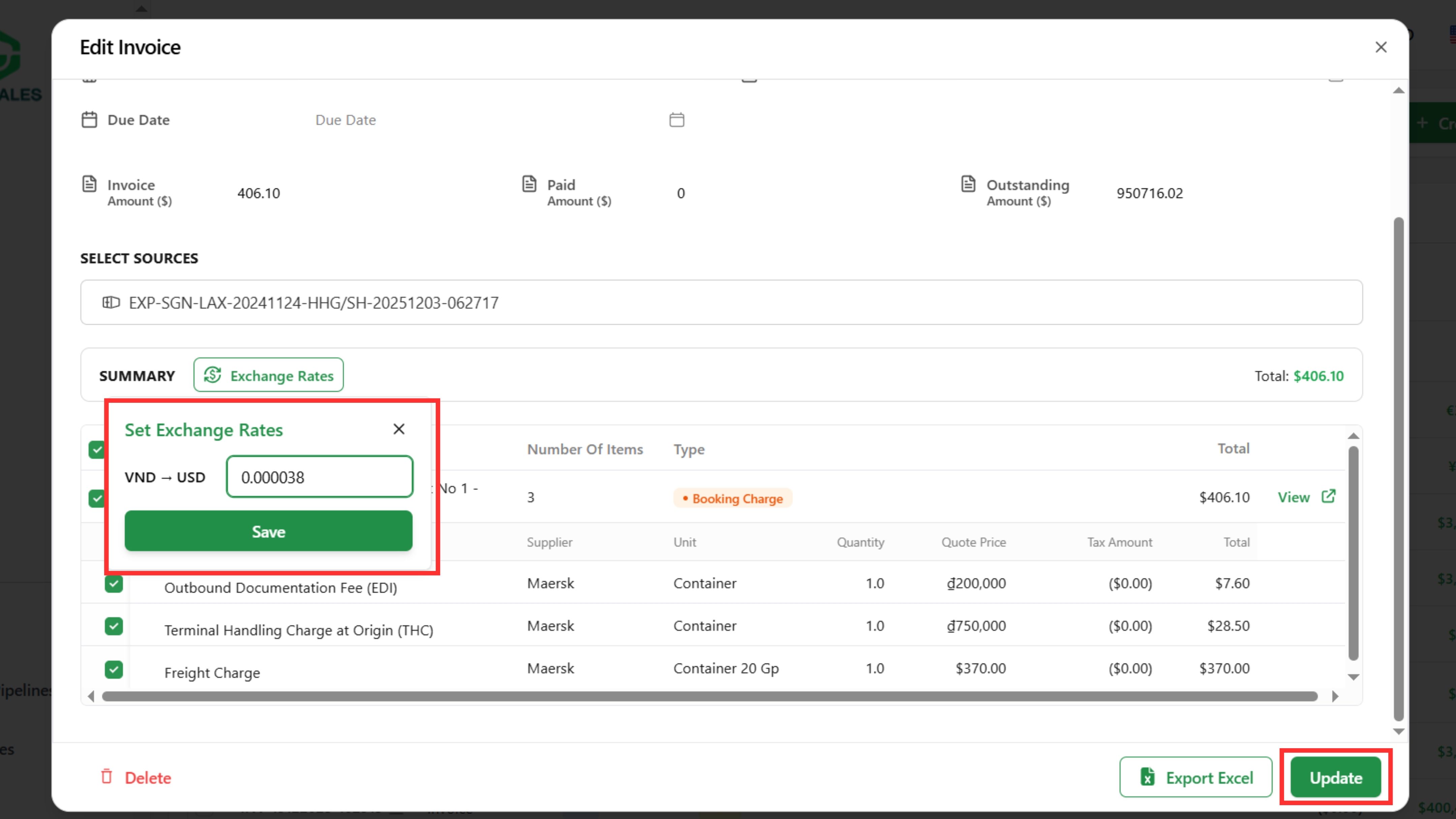
Step 3: Click ”Update “to save the adjusted information
Step 1: Access the “Invoice” page and select an invoice
Step 2: Click “Exchange Rates”, update the exchange rate, and save
Step 3: Click ”Update “to save the adjusted information