

 Back to all FAQs
Step 1: Go to the “Reports” page
Step 2: Scroll down to the Total Accounts Receivable by Client section
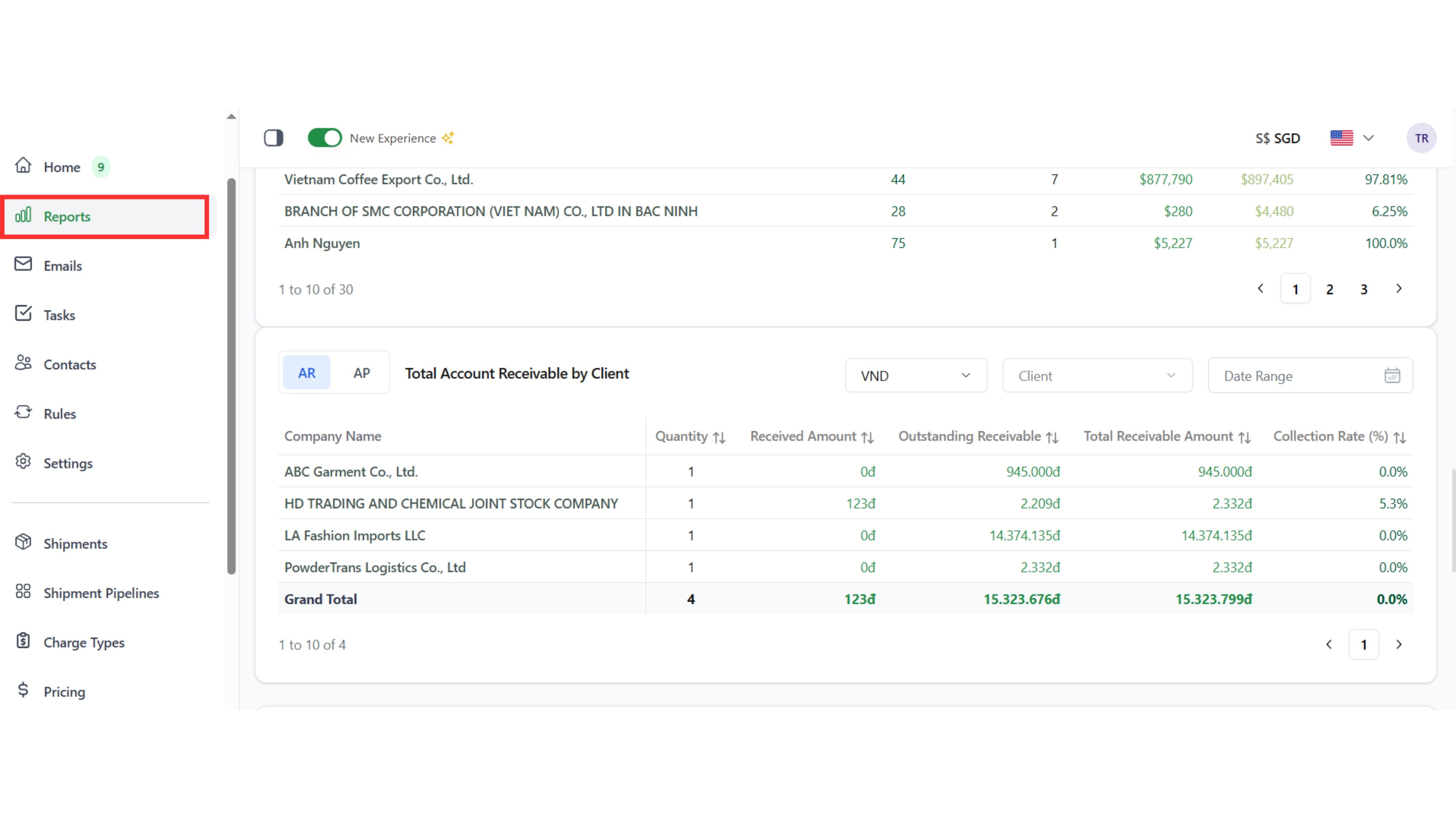
Step 3: Select “AR” (Accounts Receivable) or “AP” (Accounts Payable)
Step 4: Apply filters (currency, client, date range) to review the data

Step 1: Go to the “Reports” page
Step 2: Scroll down to the Total Accounts Receivable by Client section
Step 3: Select “AR” (Accounts Receivable) or “AP” (Accounts Payable)
Step 4: Apply filters (currency, client, date range) to review the data